
The easiest way in is a tiny, labeled starter playlist: one explainer, one news summary, one opinion show, sampled at one to three episodes each. Open GOPcast or your podcast app right now, follow one explainer and one commentary show, and play a short episode to start. Everything else in this guide just fills in the details.
TL;DR:
- Focus on starting with a brief explainer podcast to build a foundational understanding of policies or issues.
- Use a five-slot playlist: explainer, news summary, opinion, interview, and issue series, to diversify your learning formats.
- Sample episodes across different formats from each show before subscribing, and stick to official catalog listings for reliable sources.
- Run a quick claim check on strong assertions by noting sources and classifying them as fact, prediction, or opinion to avoid confirmation bias.
- Use a centralized platform like GOPcast to organize and simplify access to trusted conservative shows tailored to your specific interests.
Table of Contents
- Building Your Starter Playlist for Conservative Podcasts
- How Do You Start Listening to Conservative Podcasts?
- What’s the Difference Between Explainer, Reporting, and Opinion Podcasts?
- A One-Week Listening Routine and Claim-Check Method
- How GOPcast Helps Beginners Get Started
- Podcasts Are One Ingredient, Not the Whole Meal
- Start Listening on GOPcast Today
- Sources
- FAQ
Building Your Starter Playlist for Conservative Podcasts
Skip the temptation to subscribe to a dozen shows on day one. A short, format-labeled playlist gets you further, faster, because you know what each slot is supposed to teach you before you hit play. Spotify’s own creator guidance recommends sampling multiple shows and checking listener feedback before committing, which is exactly the mindset a beginner needs: try before you subscribe.
Here’s a five-slot playlist built around format, not personality. Pick one episode from each slot before you touch anything else.
- Explainer slot, best for learning a policy from scratch. Something like Heritage Explains breaks a single issue into a plain, 101-level explanation with no assumed background. Start here if a topic like tariffs or immigration policy confuses you.
- News summary slot, best for catching up on the week. A daily or weekly rundown show gives you the headlines a conservative host thinks matter, minus the deep debate. GOPcast’s conservative news podcasts collection is a fast way to find one.
- Opinion/commentary slot, best for hearing the argument, not just the facts. A show like the Brian Kilmeade Show mixes news with a clear point of view. Listen for the moment the host shifts from reporting a fact to arguing about it.
- Interview slot, best for hearing ideas debated at length. Long-form interview shows let you sit with an argument for 40 minutes instead of four. The Case for America works well here.
- Issue series slot, best for one topic you actually care about. If you have a specific interest, like constitutional law or originalism, find a series built around it instead of a general show.
Sample in this order: explainer first, news summary second, then interview or opinion last. That sequence builds context before it hands you an argument, so you’re evaluating claims instead of just absorbing them.
One more thing that cuts down on decision fatigue: pick a single issue you care about (energy policy, education, foreign affairs, whatever) and run all five slots through that one lens for your first week. You’ll notice format differences faster when the subject matter stays constant.
How Do You Start Listening to Conservative Podcasts?
Getting from “I want to try this” to actually listening takes about five minutes on any major platform.
- Search by name or topic. Type a show name or a subject like “immigration policy” into your podcast app’s search bar.
- Follow, don’t just play. Tapping follow (or subscribe, depending on the app) adds new episodes to your queue automatically and often triggers notifications, a core feature Apple Podcasts documents for creators and listeners alike.
- Save individual episodes you want to come back to, rather than losing them in a scroll.
- Sample three episode types before deciding. Try a news episode, an interview, and an explainer from the same show. Tone and evidence standards can shift noticeably between formats, even on the same feed.
- Stick to the official catalog listing, not a direct RSS feed you found through a search engine. Catalog listings carry reviews, recommendations, and consistent metadata that raw RSS links skip entirely.
Pro Tip: If a show has a “Start Here” or “Best Of” section on its page, use it. It’s usually the host’s own answer to “which episode should a new listener try first?”
Region and catalog availability can vary by show, so if a program you’ve heard about doesn’t show up in search, check the official page directly rather than assuming it doesn’t exist.
What’s the Difference Between Explainer, Reporting, and Opinion Podcasts?
Not every conservative podcast is doing the same job, and knowing the difference up front saves you from mistaking a host’s argument for settled fact.
- Explainer shows break down a single policy or event with minimal assumed knowledge. Titles tend to sound like “What Is…” or “Understanding X.” Treat these as your foundation layer.
- Reporting or news-summary shows cover what happened, usually with less editorializing, though conservative framing still shapes which stories make the cut and how they’re described.
- Opinion and commentary shows argue a position. Titles lean toward strong claims (“Why X Is Wrong”), and the host’s voice, not a neutral source, drives the episode.
Pew Research finds that most listeners regularly use all three formats, which is exactly why labeling matters: you can’t evaluate a claim correctly if you don’t know whether you’re hearing a fact, a summary, or an argument. For a first month, weight your listening toward explainers and reporting, and treat opinion shows as dessert, not dinner.
A One-Week Listening Routine and Claim-Check Method
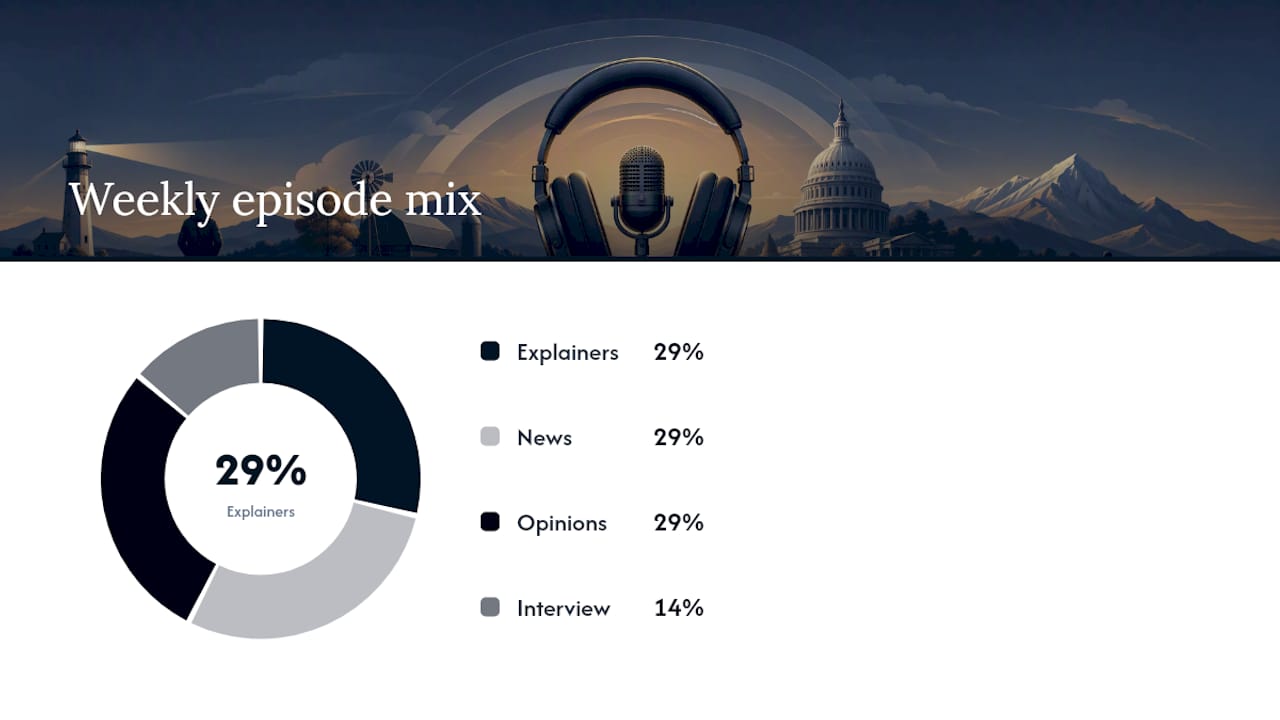
Here’s a simple week that doesn’t demand hours of your day: two explainer episodes, two news summaries, two opinion episodes, and one interview, spread across seven days at roughly 20 to 40 minutes a sitting.
While you listen, run a quick claim check on anything that sounds like a strong factual assertion.
- Write down the claim in one sentence.
- Note whether the host cites a named source — a study, a document, a specific official — or just asserts it.
- Classify it as fact, prediction, or opinion.
That third step matters more than it sounds like it should. Pew’s research on podcast listeners found that many people who hear political opinions on podcasts say those opinions often line up with views they already hold, a pattern that can quietly turn listening into confirmation rather than learning. When a claim carries real weight, especially a prediction dressed up as fact, look for a primary document or a source outside your playlist before you accept it.
Pro Tip: Keep the claim check in your phone’s notes app. After a week, reread it. You’ll notice which hosts cite sources consistently and which ones just assert.
How GOPcast Helps Beginners Get Started
A platform aggregates conservative political shows into one hub, organized by category instead of leaving you to hunt across separate apps and websites.
- Browse by topic: news, commentary, interviews, activism, and issue-specific series like election law or agriculture policy.
- Follow and save shows in one place, without juggling five different platform accounts.
- Access various popular hosts alongside smaller issue-focused programs.
- Find shows across devices, including options for listeners who prefer non-Spotify access.
For a beginner, curated access removes the initial obstacle of figuring out where to find relevant content.
Podcasts Are One Ingredient, Not the Whole Meal
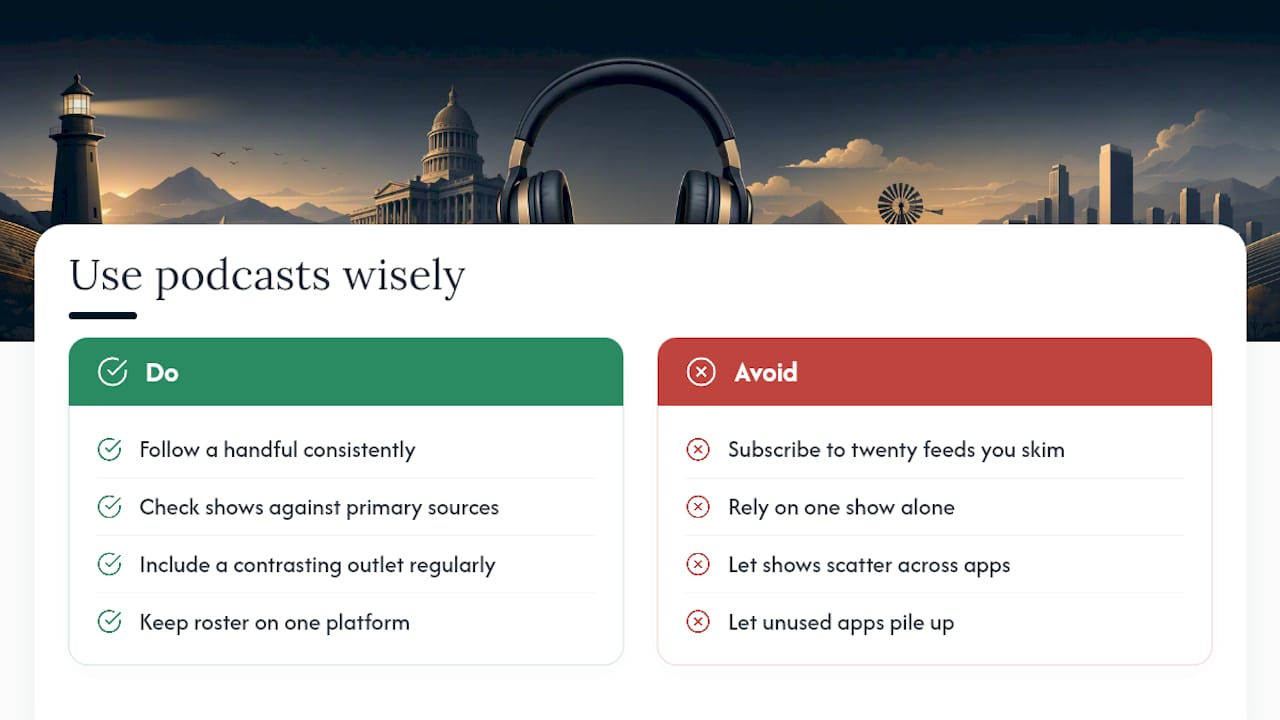
Treat conservative podcasts as one part of a balanced information diet, not the whole thing. A single show, however good, gives you one voice, one set of blind spots, and one framing of events. The habit that actually builds understanding is smaller than people expect: a handful of shows you trust enough to follow consistently, checked occasionally against a primary source or a contrasting outlet, beats subscribing to twenty feeds you skim once.
Build that small, stable roster deliberately. A centralized platform is a reasonable place to keep it organized, since it puts the shows you’ve chosen in one feed instead of scattered across apps you’ll eventually stop checking.
— GOPcast
Start Listening on GOPcast Today
A centralized platform puts conservative shows in one place so you’re not bouncing between multiple apps to build the playlist above. Instead of hunting down feeds one at a time, you search once, follow what fits your five slots, and let new episodes land in a single queue.
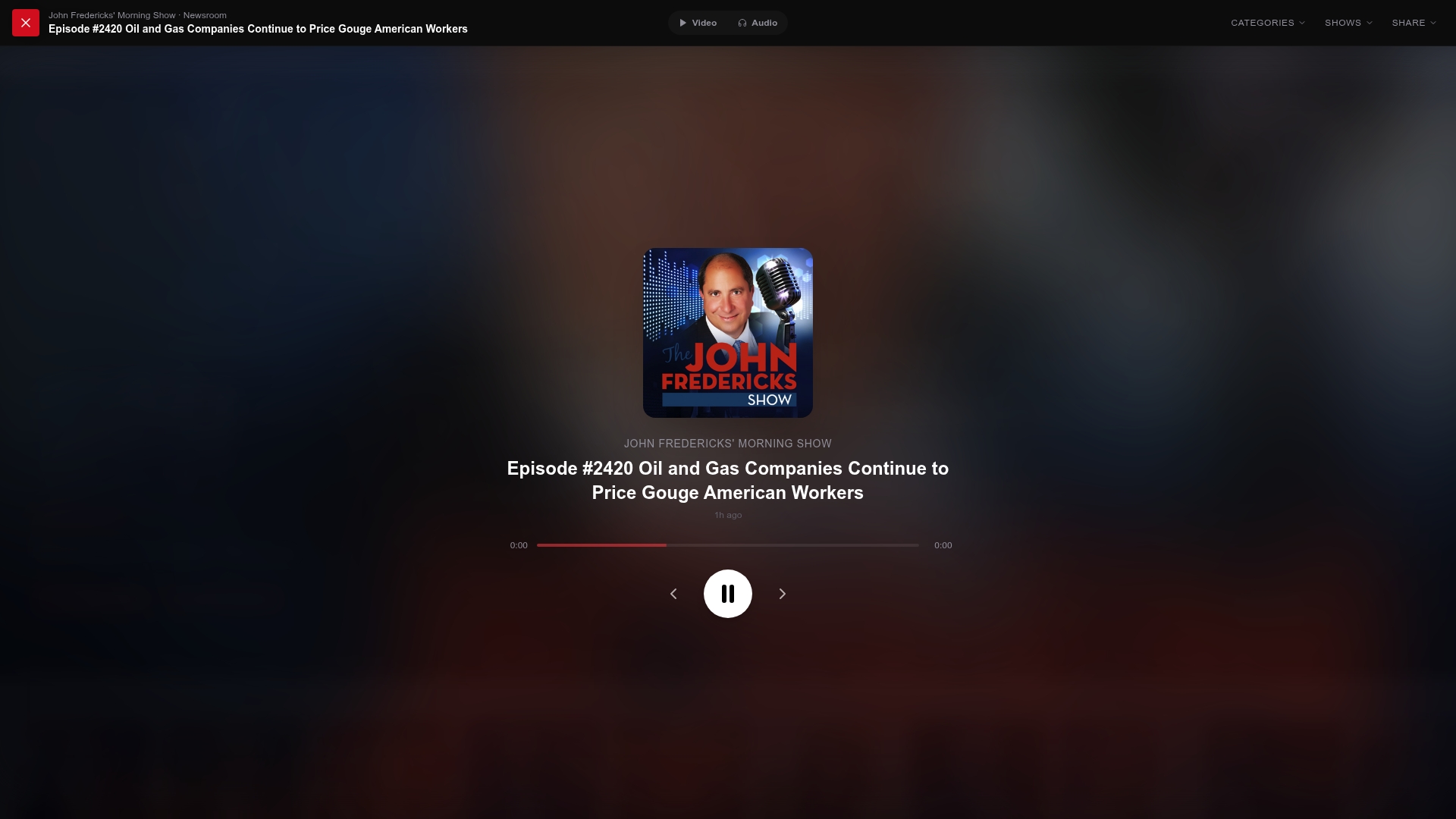
For your opinion slot, the Brian Kilmeade Show blends news and commentary in a format built for newcomers. For a news-summary anchor, Perino on Politics covers the week’s stories with a clear conservative lens. And if you want a long-form interview to round out your first week, The Case for America gives you 40 minutes of an idea argued in full instead of a soundbite.
Open the platform, follow those three shows, and you’ve already built half your starter playlist. That’s the whole first step.
Sources
- How Apple Podcasts distributes your shows to listeners — Apple Podcasts for Creators
- Podcasts and news fact sheet — Pew Research Center
- Heritage Explains — The Heritage Foundation
- How to start a podcast — Spotify for Podcasters
FAQ
What’s the best first conservative podcast for a beginner?
Start with an issue-based explainer rather than an opinion show, since explainers assume no prior knowledge. Heritage Explains is built specifically for that 101-level entry point.
How do I find conservative podcasts without getting overwhelmed?
Build a five-slot starter playlist (explainer, news summary, opinion, interview, issue series) instead of browsing an entire directory. GOPcast organizes shows by category, which narrows the search from the start.
Is it better to follow shows on Apple Podcasts or a dedicated hub?
Both work, but a dedicated hub like GOPcast groups conservative shows by topic in one feed, while Apple Podcasts offers broader search and catalog features across every genre. Many beginners use GOPcast to discover shows, then follow them wherever they already listen.
How do I know if a podcast is reporting facts or giving opinion?
Check the episode title and description first: explainers usually sound instructional, reporting sounds neutral, and opinion shows argue a position outright. If the host asserts a claim without naming a source, treat it as opinion until you check it elsewhere.
Does GOPcast cost anything to use?
Current access details and pricing are listed directly on the GOPcast site, so check there for the latest information before you start.