The fastest way to listen to Steve Deace is straight from Stevedeace, which streams live and links to every major app. You’ll also find the show on Apple Podcasts, Spotify, iHeart, Podbean, and Amazon Music, plus the canonical Megaphone feed for any RSS reader, and video through Blaze Podcast Network on BlazeTV or YouTube. New episodes post frequently, so opening your preferred app and searching the exact show title gets you listening in under a minute.
TL;DR:
- Most episodes are available across multiple platforms, with the Megaphone feed serving as the primary source that feeds all directories.
- To ensure immediate updates, it is best to add the Megaphone RSS feed directly into your podcatcher rather than relying on app searches.
- Search issues often occur because the show is mislabeled under categories like Religion instead of Politics; searching by the exact show title avoids this problem.
- Live content is accessible through the official website or BlazeTV app, while episode archives are best found on the Podbean listing or the source feed.
- Using a podcast aggregator like GOPcast consolidates multiple conservative shows into one feed, reducing management effort and streamlining listening.
Table of Contents
- Where to Find the Steve Deace Show Across Platforms
- How Do You Start Listening or Subscribing Today?
- Why Can’t I Find the Show When I Search?
- Setting Up Alerts So You Never Miss an Episode
- Listening on Smart Speakers and Other Devices
- Finding Archived Episodes and Bonus Content
- GOPcast’s Take: One Home Base Beats Ten Apps
- Start Listening on GOPcast Today
- Sources
- FAQ
Where to Find the Steve Deace Show Across Platforms
Each platform handles the show a little differently, and picking the right one depends on whether you want live audio, a downloadable archive, or video.
The official site gives you the cleanest entry point. It runs an embedded player, posts show notes for context on each episode, and links directly out to every other platform so you’re never guessing where the audio actually lives. If you want one bookmark that never changes, this is it.
Blaze Podcast Network is the show’s official home base and the network behind BlazeTV, which means full episodes and clips sometimes surface there in video form alongside the standard audio feed. Apple Podcasts lists the show under this network with metadata that updates daily, so episode numbers and air dates stay current.
Beyond those, here’s what each mainstream app adds:
- Apple Podcasts — automatic downloads, offline listening, and Siri integration for hands-free play.
- Spotify — cross-device syncing and playlist mixing with other conservative talk shows.
- iHeart — a built-in web player if you’d rather skip installing an app.
- Amazon Music — Alexa voice commands for smart speaker playback.
- Podbean — a lightweight mobile app with fast episode search.
- BlazeTV or YouTube — video versions when Deace records with cameras rolling.
How Do You Start Listening or Subscribing Today?
Getting set up takes about as long as brewing a cup of coffee. Here’s the quickest path depending on what you’re after.
To listen right now:
- Go to stevedeace.com or open the BlazeTV app.
- Tap the embedded player or select the newest episode listed.
- Press play. No account required for the free audio stream.
To subscribe on a podcast app:
- Open Apple Podcasts, Spotify, or your default Android podcast app.
- Search the exact phrase “Steve Deace Show.”
- Tap Follow or Subscribe, then toggle on automatic downloads and notifications.
To add the raw RSS feed manually:
- Copy feeds.megaphone.fm/BMDC3578899879.
- Open your podcatcher’s “Add by URL” or “Add a Show” function.
- Paste the feed and confirm. This works even in niche apps that don’t index major shows.
Pro Tip: If you want guaranteed updates the moment an episode drops, feed the Megaphone URL directly into your podcatcher instead of relying on an app’s built-in search. It skips the indexing delay entirely.
For live interaction, check the official site’s contact page for current call-in details, since these can shift with scheduling and are best confirmed there rather than assumed.
Why Can’t I Find the Show When I Search?
Search fails for one recurring reason: category mislabeling. Multiple platform listings file the show under Religion & Spirituality rather than Politics, which throws off anyone browsing by genre instead of searching by name.
The fix is simple. Type the exact title, “Steve Deace Show,” instead of browsing categories or searching broad terms like “conservative talk.” If your app’s search still comes up empty or stale, go straight to the Megaphone feed or the official site and bypass the app’s index entirely.
A few other quick fixes when episodes seem missing or delayed:
- Force-refresh your subscriptions list; most apps have a pull-to-refresh or manual sync option.
- Clear your app’s cache if new episodes aren’t appearing after 24 hours.
- Check whether your region restricts certain podcast directories, which happens occasionally with smaller apps.
- Switch to the web player at stevedeace.com if your app is clearly behind on the current feed.
Setting Up Alerts So You Never Miss an Episode
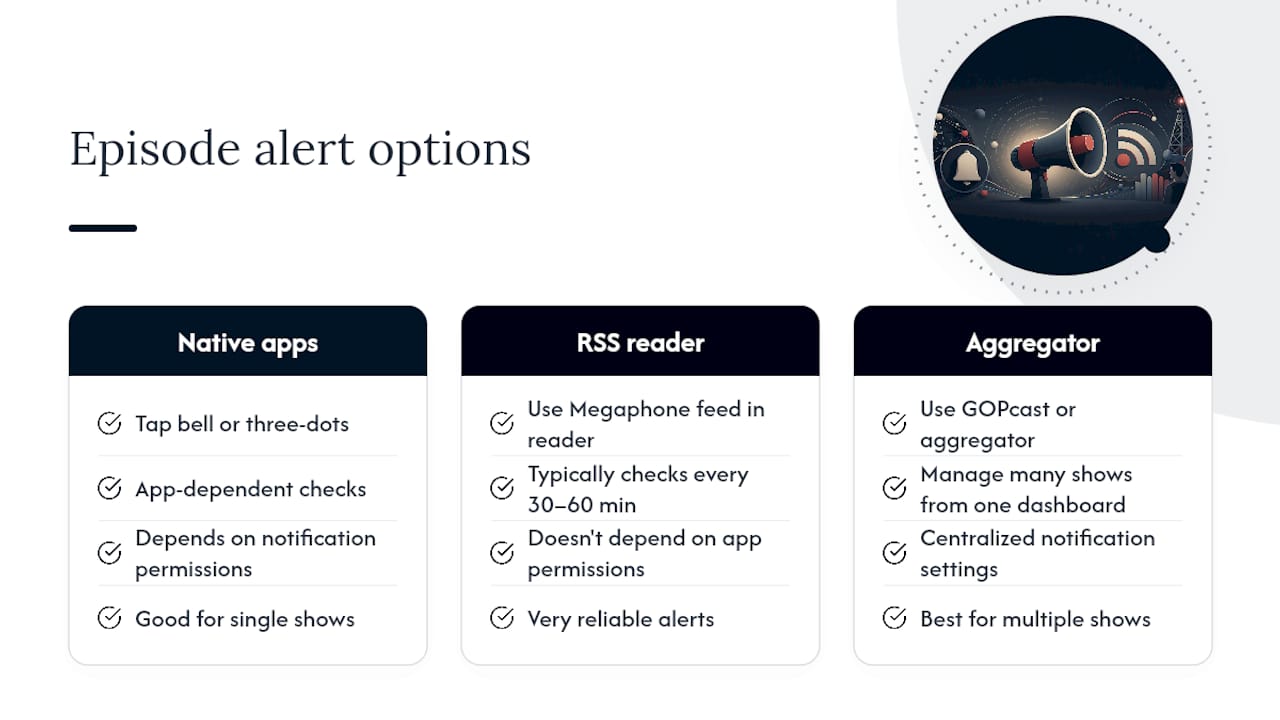
Notifications turn a show you check occasionally into one that finds you automatically. In Apple Podcasts, open the show page, tap the bell icon, and select “Notify Me of New Episodes.” Spotify works almost the same way: tap the three dots on the show page and toggle on new episode alerts under your notification settings.
Android users following through Google Podcasts or a third-party app like Pocket Casts get similar controls, usually under a gear icon on the show’s page. Look for “episode notifications” or “auto download,” since enabling both means new audio is already on your phone before you open the app.
If you’re using the Megaphone feed directly in an RSS reader, most readers check for updates on a set interval, typically every 30 to 60 minutes, and will badge or push a notification once a new item appears. That makes RSS one of the most reliable alert systems available, since it doesn’t depend on any single app’s notification permissions being enabled correctly.
For listeners who follow several conservative shows at once, setting individual alerts in five different apps gets tedious fast. Consolidating into one aggregator, GOPcast included, lets you manage notification preferences for multiple shows from a single dashboard instead of juggling settings across a phone full of apps.
Listening on Smart Speakers and Other Devices
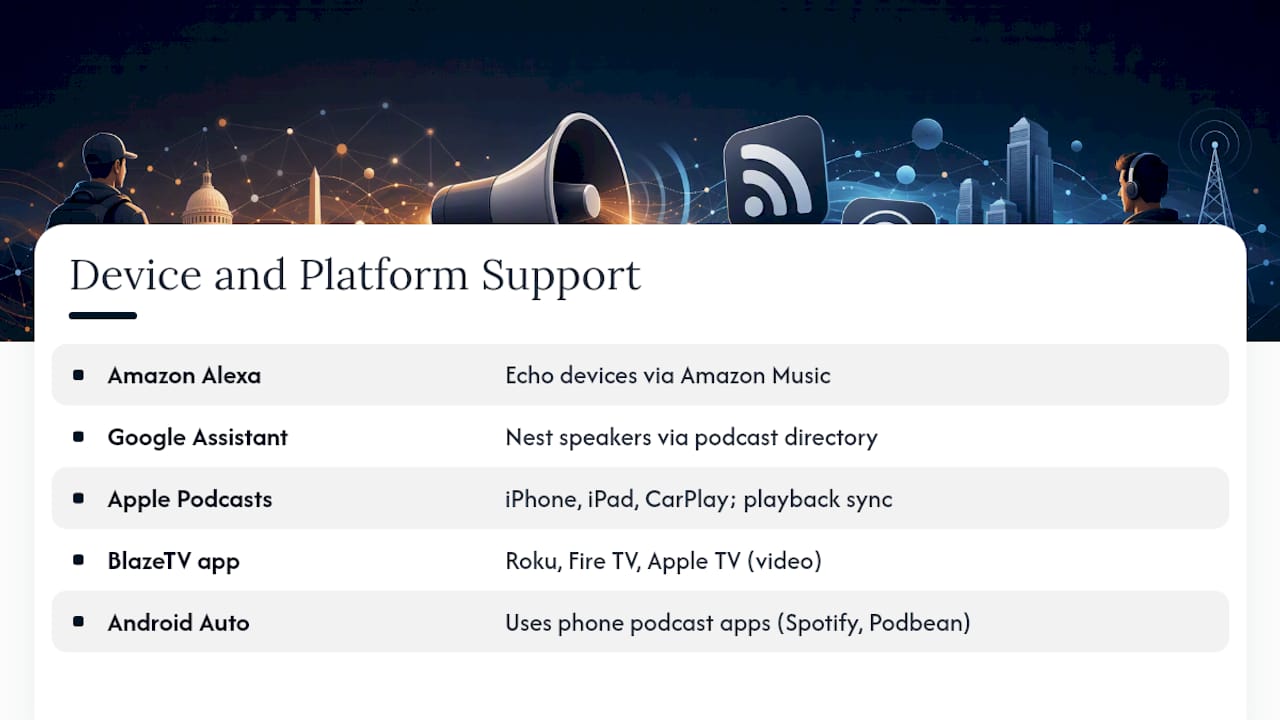
Smart speaker integration is one of the easier ways to work Steve Deace into a morning routine. Amazon Music’s Alexa integration lets you say “Alexa, play the Steve Deace Show” on any Echo device, pulling directly from the Amazon Music catalog. Google Assistant on Nest speakers works similarly through its own podcast directory.
Apple users get the smoothest experience through Apple Podcasts on iPhone, iPad, and CarPlay, where the show syncs playback position across devices automatically. That means pausing on your phone in the driveway and resuming on your car’s display without missing a beat.
For smart TVs or streaming boxes, BlazeTV’s app is available on most major platforms, including Roku, Fire TV, and Apple TV, which matters if you’d rather watch video segments than just listen. Android Auto handles the podcast apps installed on your phone, so Spotify or Podbean subscriptions carry over to your car display without extra setup.
The common thread across all of these: whichever app holds your subscription on your phone typically extends to whatever device you’re pairing it with, whether that’s a speaker, a car system, or a television. Getting the subscription right once on your primary device saves you from re-configuring on every screen you own.
Finding Archived Episodes and Bonus Content
Older episodes aren’t hard to find once you know where to look. The Podbean listing keeps a scrollable archive with timestamps, which makes it useful for scanning past episode titles and dates without opening a full app. Apple Podcasts and Spotify both maintain back catalogs as well, though how far back they display can vary depending on how the show’s feed handles pagination.
The Megaphone feed itself is the most complete record, since it’s the source every directory pulls from. If an app’s app shows only the last few weeks of episodes, checking the raw feed or the official site will usually surface older material that the app’s interface simply isn’t displaying.
Bonus content, when it exists, tends to show up either on BlazeTV’s video platform or through Blaze Podcast Network’s own promotional pushes rather than the standard podcast feed. If you’re specifically hunting for extended interviews or behind-the-scenes segments, BlazeTV is the better first stop over a standard podcast app.
GOPcast’s Take: One Home Base Beats Ten Apps
Following one show is easy. Following Steve Deace alongside four or five other conservative hosts, each buried in a different app with a different notification system, gets old fast. That’s the entire case for an aggregator: less time managing subscriptions, more time actually listening.
An aggregator pulls conservative programming into a single feed so switching between shows and catching live streams doesn’t mean juggling multiple logins. It’s the kind of consolidation that matters more the more shows you follow, not less.
— GOPcast
Start Listening on GOPcast Today
GOPcast is built for exactly this problem: too many conservative shows, too many separate apps. Instead of hunting through Apple Podcasts for one show and BlazeTV for another, you get one hub where the shows you already follow sit next to new ones worth discovering.
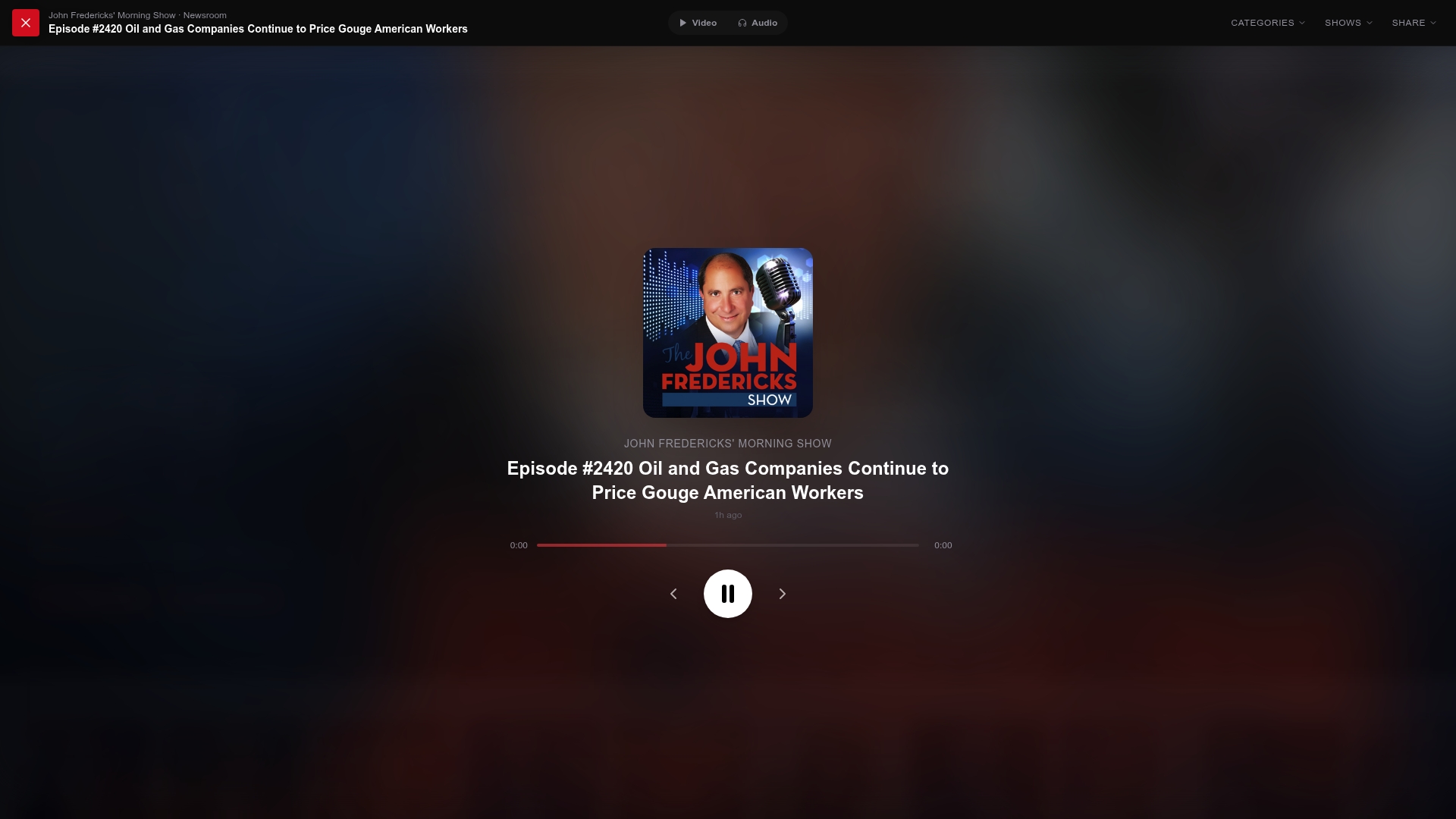
Getting started takes seconds. Open a conservative podcast aggregator, search for the show you want, and hit play, no account juggling, no app switching. Want a sense of what’s on the platform beyond Steve Deace? The Dan Bongino Show and Ringside Politics are both live now and structured the same way: one page, one player, one click to start listening. If you follow more than one conservative host, this is the version of “subscribe everywhere” that doesn’t require ten different apps to manage it.
Sources
- Steve Deace Show
- Steve Deace Show Podcast | Free Listening on Podbean App
- Steve Deace Show - Podcast - Apple Podcasts
FAQ
Where does Steve Deace live?
Steve Deace’s exact residence isn’t publicly listed, but his show and its production are tied to Blaze Podcast Network, which operates broadly across conservative media markets in the United States.
Is Steve Deace a conservative commentator?
Yes. His show is a staple of conservative talk radio and podcasting, mixing political commentary, interviews, and cultural analysis from a right-leaning, faith-informed perspective.
How can I contact Steve Deace or his show?
The official site, stevedeace.com, lists current contact and call-in details, which is the most reliable place to check since these can change with scheduling.
What does the Steve Deace podcast cover?
The show covers political news, cultural commentary, and interviews aimed at a conservative audience, published frequently through Blaze Podcast Network and available on every major podcast platform.
Can I listen to Steve Deace through GOPcast?
Yes. GOPcast aggregates conservative programming into one hub, letting you search for shows like Steve Deace’s alongside other conservative hosts without switching apps.