Yes, Alexa can play conservative podcasts, and you can start in under a minute. Say “Alexa, play The Ben Shapiro Show,” and if the skill is enabled and your podcast service is linked, it starts streaming immediately. There are services that help you find show pages and enable instructions before you even talk to your Echo. The only catch: some shows require a one-time account link, which takes about 30 seconds the first time.
TL;DR:
- Properly linking your podcast provider and setting it as default ensures Alexa plays the correct show without additional commands.
- Most shows can be played with simple “Alexa, play [show name]” commands once the provider is linked, with occasional need to specify the service.
- Account linking and default provider settings are responsible for the majority of playback issues, not Echo device malfunctions.
- Some shows offer their own Alexa skills for direct launching, simplifying playback, but they may require separate enabling.
- Regional restrictions and explicit content settings can affect show availability and should be checked during setup.
Table of Contents
- Top Conservative Podcasts to Ask Alexa to Play
- How to Link a Podcast Service and Set a Default Provider
- Quick Fixes When Alexa Won’t Play the Right Show
- Why GOPcast Makes Alexa Discovery Faster
- What Actually Matters When Setting This Up
- Listen Now on GOPcast
- Sources
- FAQ
Top Conservative Podcasts to Ask Alexa to Play
Alexa doesn’t care about your politics, but it does care about two things: whether your Echo model supports podcasts and whether the provider is linked in your app. Once those boxes are checked, asking for any of these shows is as simple as talking to a friend in the next room.
Here’s a rundown of the shows conservative listeners request most, along with the phrasing that gets Alexa to cooperate on the first try.
- The Ben Shapiro Show — Fast-paced commentary and cultural analysis, often the first stop for younger conservative listeners. Try “Alexa, play The Ben Shapiro Show” or, if you’ve linked a specific service, “Alexa, play The Ben Shapiro Show on [service name].”
- The Dan Bongino Show — Law enforcement background meets no-nonsense political commentary, with heavy focus on media accountability. Say “Alexa, play The Dan Bongino Show” for the latest episode.
- The Charlie Kirk Show — Campus politics, youth organizing, and daily news breakdowns aimed at a younger audience. Voice command: “Alexa, play The Charlie Kirk Show.”
- Mark Levin Show — Constitutional law and legal argumentation from a former Reagan administration official. Levin’s program actually publishes its own Alexa skill instructions, so try “Alexa, open Mark Levin” to access the live stream directly, or “Alexa, play the Mark Levin Show” for episodes.
- Perino on Politics — A calmer, more measured take on the news cycle from a former White House Press Secretary, good for listeners who want commentary without the shouting. GOPcast hosts a dedicated show page for Perino on Politics where you can confirm episode availability before asking Alexa to find it.
- Bannon’s War Room — Daily deep dives into political strategy and media criticism, running multiple episodes per day. Command: “Alexa, play Bannon’s War Room.”
- Ringside Politics — Debate-style commentary that pits opposing views against each other in a structured format. Find the full catalog on GOPcast’s Ringside Politics page.
- Brian Kilmeade Show — News and interviews from a longtime Fox News personality, often featuring historical context alongside current events. Details and episode archives live on GOPcast’s Brian Kilmeade Show page.
- The Sentinel Report — Straight news commentary with a conservative lens, useful for listeners who want headlines without heavy editorializing. Browse it on GOPcast’s Sentinel Report page.
- After Hours with Alex Stein — Comedy-driven political commentary for listeners who want satire mixed with their news. See the After Hours with Alex Stein page for content notes before playing around family.
A few of these shows publish their own Alexa skill, meaning you can say “Alexa, open [show name]” to launch a live stream or dedicated station. Most others play through whatever podcast provider you’ve linked, so the command structure stays the same: “Alexa, play [show name]” works for the majority, with “on [service]” added only when you haven’t set a default.
One regional note worth flagging: some services, notably Apple Podcasts integration with Alexa, are only available in a limited set of countries, and explicit-content settings vary by account region. If a show doesn’t appear when you search for it, check your region settings before assuming the skill doesn’t exist. Shows featuring after-hours comedy or unfiltered political commentary may also carry explicit tags depending on the episode, so review your household’s explicit-content settings if kids share the room.
How to Link a Podcast Service and Set a Default Provider
Most playback failures trace back to one thing: the podcast provider isn’t linked, or no default is set. Fixing this once saves you from repeating “on Spotify” or “on iHeartRadio” every single time you ask for a show.
Here’s the exact path inside the Alexa app:
- Open the Alexa app and tap More, then Settings.
- Go to Alexa Preferences, then Music & Podcasts.
- Select Link New Service and choose your podcast provider from the list.
- Log in to that provider’s account when prompted. If you see “Account linking required,” that means the skill needs your credentials before Alexa can pull content from it, a step CNET documents in detail.
- Once linked, return to Music & Podcasts and tap the provider you just added, then select Set as Default.
Setting a default matters more than most people realize. Once your account is linked and a default provider is set, you stop needing to name the service every time. “Alexa, play The Ben Shapiro Show” just works, instead of requiring the longer “on Apple Podcasts” tack-on.
For enabling a show-specific skill, head to Skills & Games inside the app and search the show’s name directly rather than a generic term like “conservative podcast.” Skills built by individual shows, like the Mark Levin Show’s, sometimes don’t surface under broad searches.
Quick statistic worth knowing: Alexa’s own documentation lists a specific, limited set of voice commands that work across podcast skills, including Play, Pause, Resume, Next episode, Previous episode, fast forward, rewind, and Restart, according to Amazon’s official podcast help page. That’s the entire vocabulary. Memorize those eight commands and you’ve covered nearly every situation you’ll run into.
Once you’re set up, here’s what a typical session sounds like:
- “Alexa, play the latest episode of The Dan Bongino Show.”
- “Alexa, resume my podcast.”
- “Alexa, play episode 12 of Bannon’s War Room” (works only if the provider supports episode-specific requests).
Major services you can link this way include Apple Podcasts, Spotify, Pandora, iHeartRadio, TuneIn, and SiriusXM. Pick whichever one already hosts your favorite shows, since switching providers later means relinking and resetting your default.
Quick Fixes When Alexa Won’t Play the Right Show
Alexa playing the wrong podcast, or claiming it can’t find one, almost always comes down to provider mismatch rather than a broken device. Before you assume something’s wrong with your Echo, run through this list.
- Check that the skill is actually enabled and account linking finished. If “Account linking required” pops up again, it means the login didn’t stick the first time.
- Clear your default provider and try setting it again. A stale or incorrect default is the most common cause of Alexa grabbing the wrong show when multiple services host similar-sounding content.
- Reboot the Echo device. Unplug it for ten seconds, plug it back in, and give it a minute to reconnect.
- Confirm your Amazon account region matches where you actually live, since explicit-content and provider availability shift by region.
- If resume playback keeps failing or restarts from zero, force-close the Alexa app on your phone, then reopen it. If that doesn’t fix it, unlink the podcast service entirely and relink it from scratch.
Pro Tip: Cross-device resume only works reliably if the podcast provider supports state persistence, meaning it tells Alexa exactly where you left off. If you’re jumping between your Echo and your phone constantly and losing your place, the provider itself may not support that syncing, not your device.
Playback problems almost never mean your Echo is broken. They mean a skill, a login, or a default setting needs a five-minute reset.
Why GOPcast Makes Alexa Discovery Faster
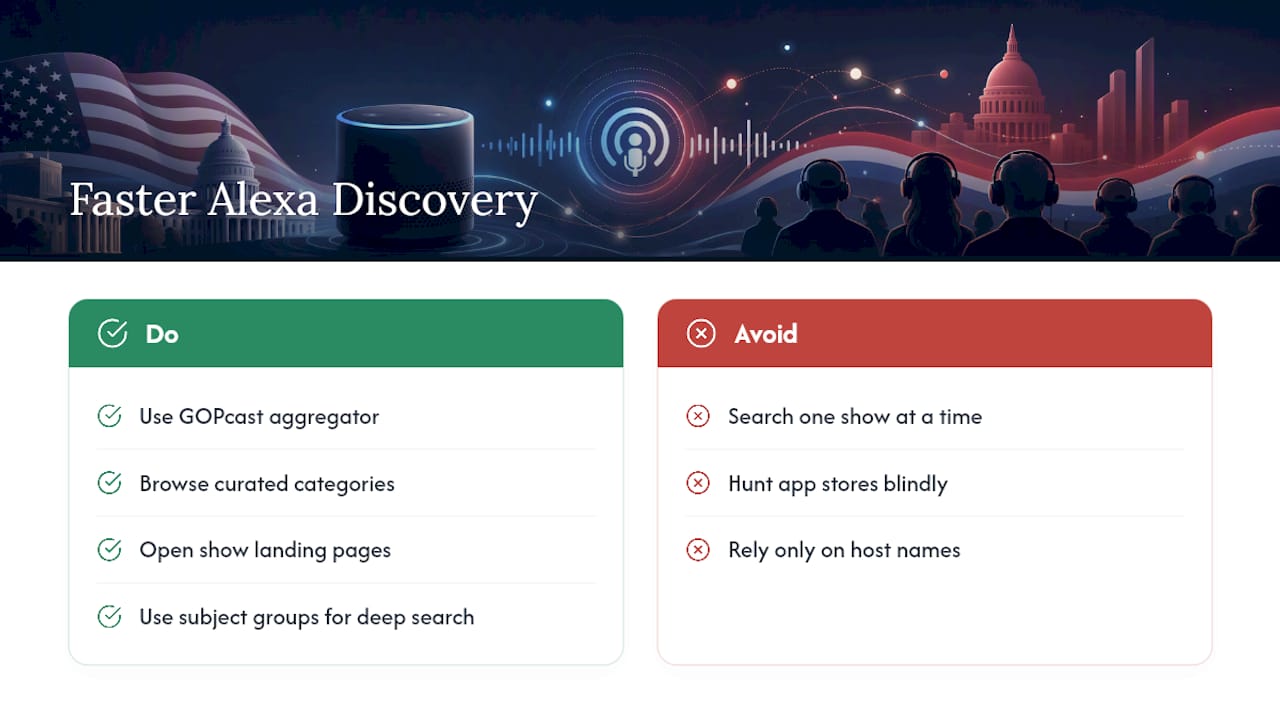
Finding conservative shows one search at a time wastes time you’d rather spend listening. There are platforms that aggregate conservative podcasts into curated categories, including news, commentary, originalism, and states’ rights programming, to help avoid hunting blindly through app store results.
Many shows have landing pages with episode context and listening links, so you can know what you’re getting before you ask Alexa to play it. That matters more than it sounds: GOPcast’s aggregator model exists precisely because the sheer number of conservative shows scattered across different podcast services makes manual discovery a chore.
If you want deeper category browsing beyond the shows listed here, GOPcast’s originalism podcast collection and states’ rights programming group shows by subject rather than host name, which helps if you’re chasing a specific legal or policy angle rather than a particular personality.
What Actually Matters When Setting This Up
Most guides to Alexa and podcasts bury the useful part under generic app-navigation screenshots. The real lesson from all of this: your listening experience depends far more on account linking and default-provider settings than on the Echo device itself. People blame their speaker when the actual problem is a skill that never finished linking or a default provider pointing at the wrong service.
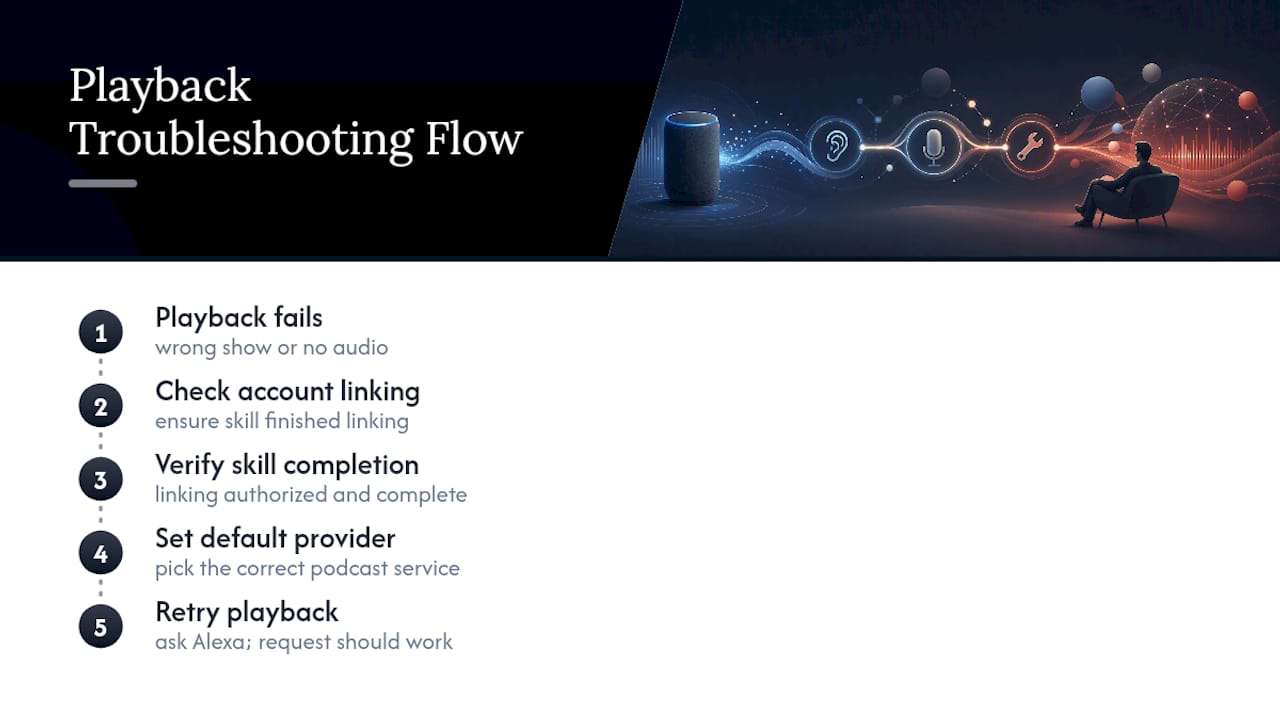
The conventional advice, “just ask Alexa for the show,” works fine once, then breaks the second you have more than one podcast service linked. Set your default provider first. Do that before you memorize a single voice command, because it’s the setting that determines whether every future request works cleanly or turns into a guessing game.
If you’re a conservative listener trying to build a consistent lineup rather than hunting for one episode, start with a curated hub to identify the shows worth linking, then spend your setup time getting the account linking right. That order, discovery first, technical setup second, saves more frustration than any troubleshooting checklist ever will.
— GOPcast
Listen Now on GOPcast
Some platforms pull shows into single landing pages so you’re not bouncing between podcast apps trying to remember where a show actually lives. Every page links directly to the listening options you need before you even open the Alexa app.
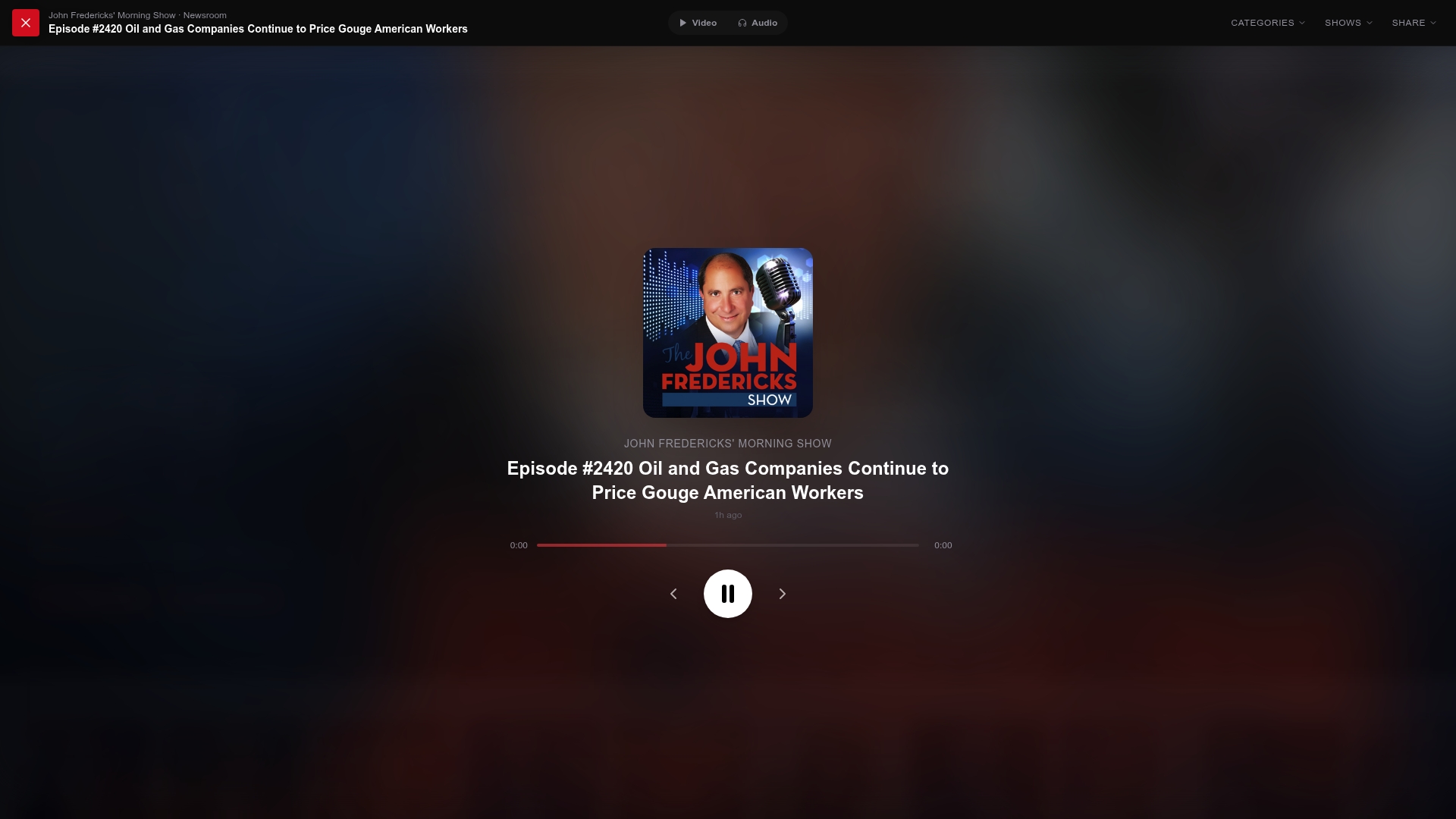
A few featured shows worth bookmarking right now:
- Ringside Politics — Structured debate-format commentary for listeners who want opposing views argued out loud rather than summarized.
- Brian Kilmeade Show — News with historical framing from a familiar Fox News voice.
- The Sentinel Report — Straight news commentary without heavy editorializing.
- The Case for America — A curated pick for listeners exploring beyond the mainstream conservative lineup.
Open any show page on an aggregator, confirm the episode you want, and then head to your Alexa app to link the provider once. After that, every future request is just your voice and the show’s name.
Sources
For setup verification, rely on primary sources rather than guesswork: Amazon’s own podcast voice command guide, CNET’s Alexa podcast troubleshooting guide, Gearbrain’s device compatibility breakdown, and PCMag’s provider-linking walkthrough.
- Play Podcasts with Alexa Using Your Voice — Amazon Help
- Podcasts on Alexa can be perplexing, but mastering these tips might make you a pro — CNET
- How to listen to podcasts on your Amazon Echo — PCMag
FAQ
What are the top five conservative podcasts?
Among the most requested on Alexa are The Ben Shapiro Show, The Dan Bongino Show, The Charlie Kirk Show, Mark Levin Show, and Bannon’s War Room. All five can be launched with a simple “Alexa, play [show name]” once your podcast provider is linked.
What is the best podcast to listen to on Alexa?
There’s no single “best” show, since it depends on whether you want fast commentary, legal analysis, or news-first coverage. GOPcast groups conservative shows by category, including news, commentary, and originalism, which makes it easier to match a show to your listening mood rather than guessing from a generic list.
What is the best unbiased political podcast?
“Unbiased” is a loaded term in political media, since every host and network brings a perspective. Shows like Perino on Politics lean toward measured, less combative commentary if you’re looking for something calmer than typical talk radio format.
Can I listen to podcasts on my Alexa speaker?
Yes, as long as your Echo model supports podcast playback and you’ve linked a supported provider such as Apple Podcasts, Spotify, or iHeartRadio, according to Amazon’s official documentation. Most current Echo devices support this out of the box, but the provider link is the step people skip.
Why does Alexa play the wrong show when I ask for a podcast?
This usually happens because of a provider mismatch, not a device malfunction. Re-check which service is set as your default and confirm the skill for the show you want is actually enabled and linked in the Alexa app.