The fastest way to listen to Glenn Beck is through the official live stream at Glennbeck, a local radio affiliate carrying The Glenn Beck Program, or a podcast app like Apple Podcasts or Spotify for on-demand episodes.
Pick whichever fits your setup right now:
- Go to GlennBeck.com and click the radio button in the header (you need to be logged in).
- Tune your AM/FM dial or car infotainment system to your local affiliate.
- Open your podcast app and search “The Glenn Beck Program.”
Broadcast hours: the show airs live weekdays from 9:00 a.m. to 12:00 p.m. Eastern Time, with a Saturday block from 6:00 a.m. to 9:00 a.m. Eastern. Outside those windows, you’re listening to a replay or an on-demand episode.
Key Takeaways
Listening to Glenn Beck live requires a GlennBeck.com login during the 9 a.m. to noon Eastern weekday window, while on-demand access works anytime through podcast apps or local affiliates.
| Point | Details |
|---|---|
| Fastest live option | Log into GlennBeck.com and click the radio button when the red dot appears. |
| Official hours | Live weekdays 9 a.m. to noon ET and Saturdays 6 a.m. to 9 a.m. ET. |
| Find your local station | Search the Premiere Networks affiliate list by ZIP or city, then confirm with the station’s FCC public file. |
| On-demand listening | Subscribe on Apple Podcasts, Spotify, or Audacy for downloadable episodes anytime. |
| One hub for more shows | GOPcast aggregates conservative programs like Dan Bongino and Brian Kilmeade for one-stop browsing. |
Table of Contents
- How to Start Listening to Glenn Beck in Under Two Minutes
- How Do You Watch or Listen to the Glenn Beck Program Live?
- Where Can I Find a Local Station That Carries Glenn Beck?
- Where Can You Stream Glenn Beck Episodes On Demand?
- What Time Does Glenn Beck Air, and How Do I Convert It to My Time Zone?
- Why Won’t the Stream Load, and How Do You Fix It?
- Why We Built This Listening Guide
- Want One Home for All Your Conservative Shows?
- Sources
How to Start Listening to Glenn Beck in Under Two Minutes
You don’t need a subscription package or a technical setup to get the show playing. Here’s the quickest path for each device type.
On a browser:
- Go to Glennbeck.
- Log in (an account is required to access the live stream).
- Click the radio button in the top navigation. If the show is live, you’ll see a red dot.
- Prefer visuals? Click “Switch to Live Video” to see the live video feed instead of audio-only.
On mobile:
- Open GlennBeck.com in your phone’s browser, or launch your podcast app.
- Log in the same way you would on desktop if you’re streaming live.
- If you’d rather avoid live streaming on data, switch to a podcast app and download episodes over Wi-Fi instead.
On the radio: Find your local affiliate (covered in detail below), then simply tune in at the scheduled time. No login, no app, no data usage.
Pro Tip: Bookmark the GlennBeck.com live page or “add to home screen” on your phone. That turns a multi-step login process into a single tap the next time the show is on air.
How Do You Watch or Listen to the Glenn Beck Program Live?
Each listening method has its own quirks, and knowing them ahead of time saves you a frustrating first attempt.
Web streaming. Log into GlennBeck.com, then look at the radio button in the header. A red dot means the show is live right now; if there’s no dot, the site displays the next scheduled broadcast time instead of leaving you guessing. Click through, and you land on the live audio player by default, with an option to switch to live video.
Mobile streaming. The mechanics are the same as desktop, but data usage matters more. Streaming live video for a three-hour block can eat through a mobile data plan fast. If you’re not on Wi-Fi, stick to the audio-only live option, which uses a fraction of the bandwidth.
Radio. The program reaches listeners through national syndication, meaning Premiere Networks distributes it to independently owned local stations called affiliates. Each affiliate chooses when to air it, and most carry it live, though some tape-delay it. To listen this way:
- Identify your local affiliate.
- Tune your AM/FM dial or car infotainment system to that frequency.
- Confirm the airtime, since a handful of markets shift the schedule slightly.
Pro Tip: If live video keeps buffering on mobile, switch to audio-only. It’s the single fastest fix for choppy playback on a weak connection, and you won’t miss anything the radio version doesn’t already deliver.
Where Can I Find a Local Station That Carries Glenn Beck?
The Premiere Networks affiliate list is the official starting point for finding a station in your market. Search by city or ZIP code, and it will surface any affiliate carrying the program in your area.
Here’s the full verification sequence:
- Check the Premiere Networks affiliate list for your market or ZIP code.
- Note the station’s call letters and frequency.
- Confirm the schedule on the station’s own website, since local airtimes sometimes differ from the national feed.
- Cross-check the station’s FCC public file if you want an extra layer of confirmation on programming and ownership details.
- Tune in at the confirmed local time.
The program airs on more than 400 radio stations across the United States, but carriage still varies market by market. A station in one metro area might run it live at 9 a.m., while a station two states over airs a delayed rebroadcast in the evening.
Where Can You Stream Glenn Beck Episodes On Demand?
If you can’t catch the live broadcast, the on-demand routes cover you just as well.
GlennBeck.com hosts its own archive of past broadcasts directly on the listen page, alongside the live player. Beyond the official site, the show’s episodes are distributed as a podcast feed on Spotify, Apple Podcasts, and other major apps. Search “The Glenn Beck Program,” hit subscribe, and new episodes drop into your feed automatically.
Looking for a specific episode, like an interview from a few months back? Audacy’s episode archive lets you scroll by date or title, which beats hunting through a live stream you’ve already missed.
A few notes on picking a podcast app:
- Apple Podcasts offers built-in playback speed controls and easy offline downloads.
- Spotify adds chapter markers on many episodes, so you can jump straight to a segment.
- Audacy specializes in searchable archives, useful for finding an older episode by guest name.
- If you follow multiple conservative hosts, a hub like GOPcast’s conservative podcast collection keeps several shows in one browsing view instead of juggling apps.
What Time Does Glenn Beck Air, and How Do I Convert It to My Time Zone?
The official schedule runs weekdays from 9:00 a.m. to 12:00 p.m. Eastern Time, with an additional Saturday block from 6:00 a.m. to 9:00 a.m. Eastern. Local affiliates may air it live or tape-delayed, so the national schedule is your reference point, not a guarantee for every station.
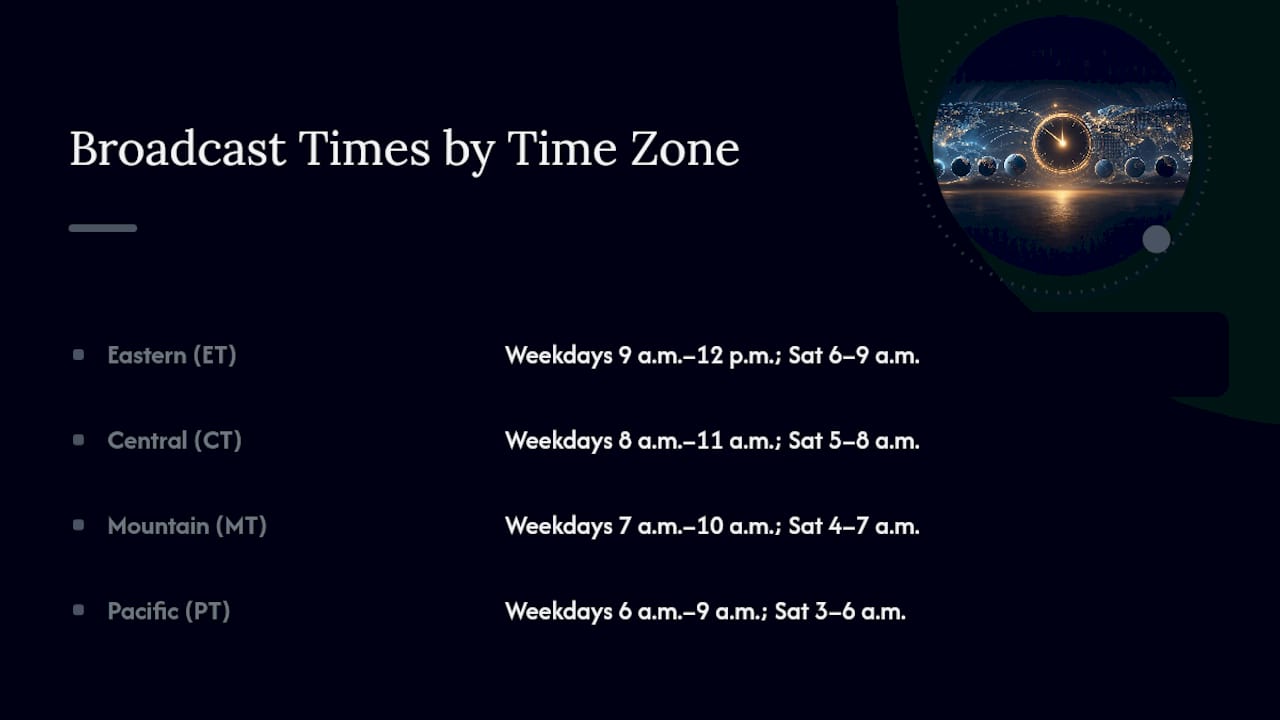
To convert: subtract three hours for Pacific Time, two for Mountain, and one for Central. So a 9 a.m. Eastern start airs at 6 a.m. Pacific, 7 a.m. Mountain, or 8 a.m. Central.
Quick reference: Weekdays, 9 a.m. to noon ET. Saturdays, 6 a.m. to 9 a.m. ET. Everything outside those windows is replay or on-demand.
Why Won’t the Stream Load, and How Do You Fix It?
Most playback problems trace back to a handful of predictable causes.
- You’re not logged into GlennBeck.com.
- The red dot isn’t showing, meaning the show isn’t live yet.
- The page is stuck loading or frozen.
- You’re getting audio but no video, or vice versa.
- Your podcast app crashed or won’t refresh the feed.
- You’re outside the coverage area for a specific local affiliate.
For most of these, the fix is simple: confirm you’re logged in, check for the red dot, refresh the live page, or fall back to audio-only if video won’t load. If a podcast app is misbehaving, force-close and reopen it, or check that app permissions allow background audio.
Pro Tip: Before you contact any helpdesk, clear your browser cache or just try a different browser entirely. That single step resolves a surprising share of “the stream won’t load” complaints, since stale cached data is often the real culprit.
Why We Built This Listening Guide
We built this guide because conservative listeners deserve a straight answer instead of a maze of outdated links and dead-end forum posts. We cross-checked the Premiere Networks schedule against GlennBeck.com’s own helpdesk instructions and confirmed affiliate details against FCC public files, so what’s above reflects the actual current setup, not guesswork. GOPcast also runs a complementary hub for conservative audio, and any links to our own platform below are disclosed as such.
Want One Home for All Your Conservative Shows?
Bookmarking GlennBeck.com, memorizing a local frequency, and juggling three podcast apps works, but it’s a lot of separate logins for people who follow more than one conservative host. GOPcast solves that by pulling popular right-leaning programs into a single browsing hub, so you’re not rebuilding your listening routine every time you want to check out a new voice.
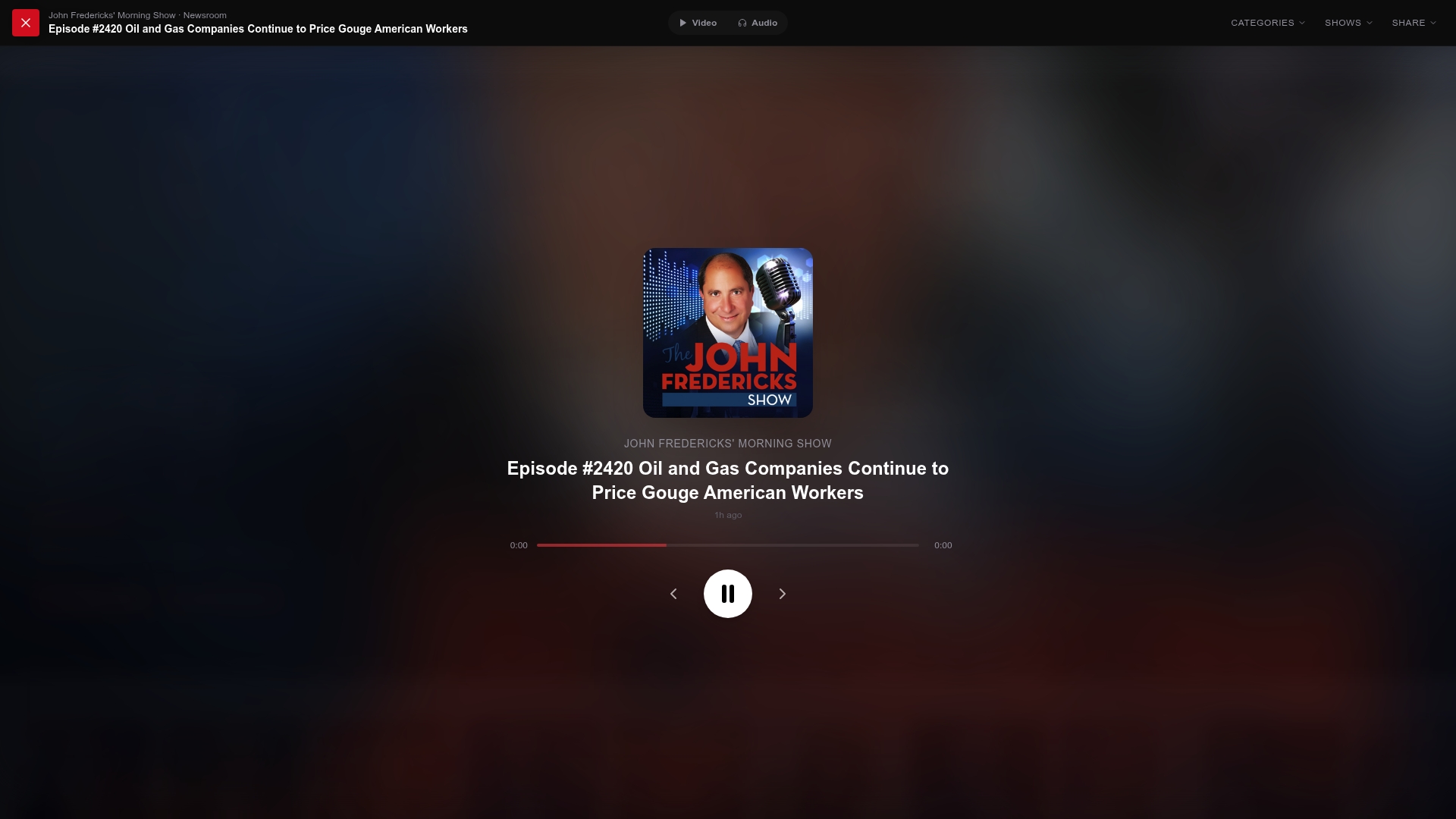
If Glenn Beck is a regular stop for you, there’s a good chance shows like the Brian Kilmeade Show or The Dan Bongino Show fit your feed too, and both have dedicated pages on GOPcast alongside episode listings and easy playback. Head to GOPcast’s homepage to browse the full show lineup and start streaming without setting up a separate login for every host you follow.
Sources
- The Glenn Beck Program — Premiere Networks
- How do I watch the Glenn Beck Program live? — Glenn Beck Helpdesk
- How do I listen to audio only live show? — Glenn Beck Helpdesk
- Listen | Glenn Beck
- Glenn Beck radio program — Wikipedia