The fastest way to listen to Tim Pool is his official YouTube channels, where Timcast IRL and Tim Pool Daily News go live on a regular weekday schedule. For on-demand audio, subscribe through Apple Podcasts, Spotify, or the official RSS feed, which updates the moment a new episode posts. Check the schedule on Timcast before you tune in, then open YouTube or your podcast app and hit follow.
TL;DR:
- Watching live on YouTube ensures real-time engagement and direct access to the channels, but notifications and reminders improve attendance.
- Subscribing on Apple Podcasts or Spotify allows automatic downloads and offline listening, with RSS feeds providing the most direct episode access.
- Playback issues mainly stem from bandwidth problems, which can be fixed by lowering video quality, re-linking devices, or clearing app caches.
- Relying on official channels guarantees unedited episodes with accurate metadata, avoiding distortions from clips or reuploads.
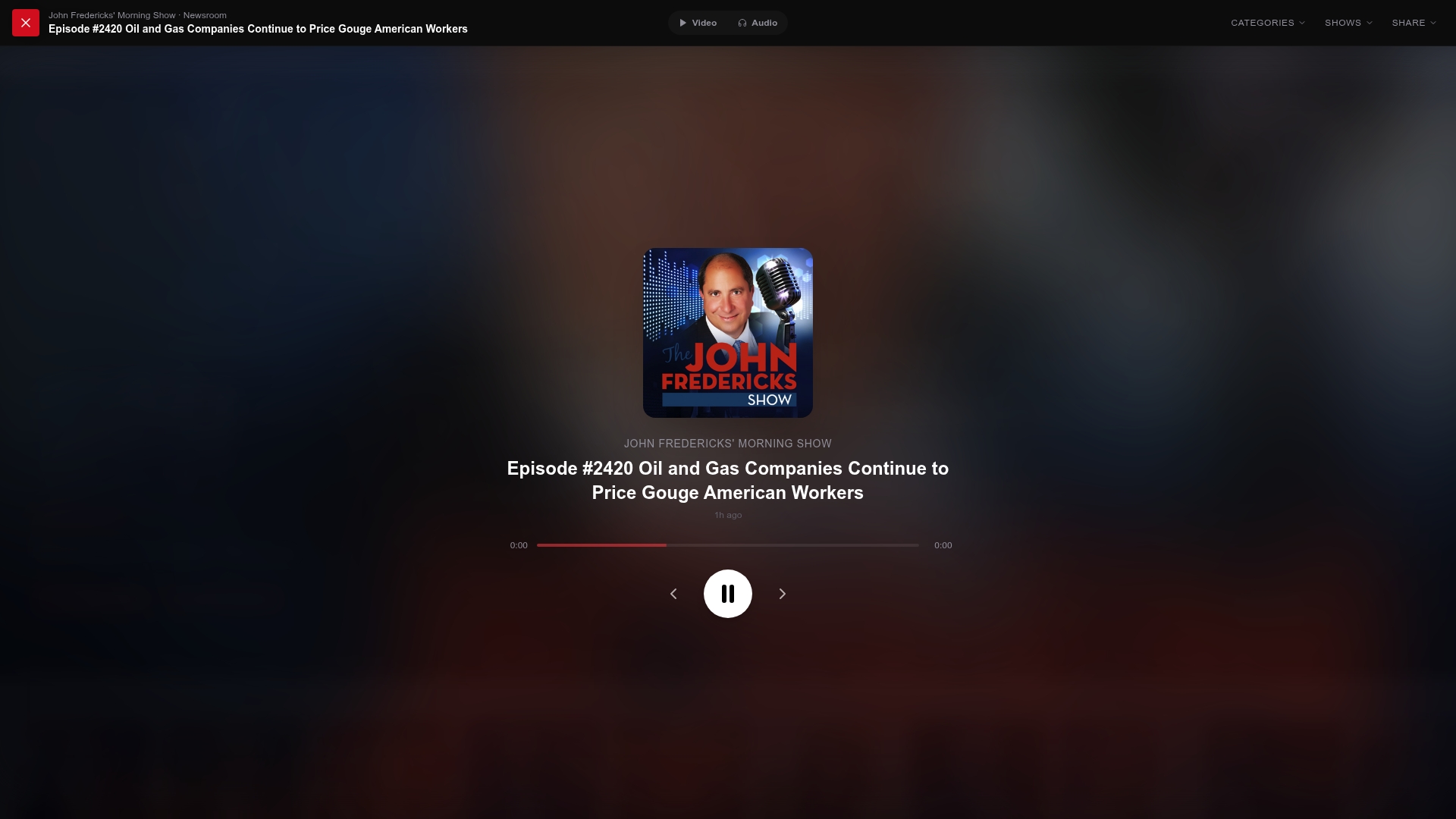
- Conservative listeners can use GOPcast as a centralized hub for verified, full-length shows similar to Tim Pool’s content, avoiding out-of-context clips.
Table of Contents
- Where Can You Listen to Tim Pool Across Platforms?
- When Does Tim Pool Go Live, and How Do You Get Reminded?
- How Do You Subscribe and Save Episodes for Later?
- Why Won’t My Tim Pool Episode Play, and How Do You Fix It?
- Why Stick to Official Timcast Channels and Feeds?
- Looking for More Conservative Commentary Beyond Tim Pool?
- A Note From GOPcast on Following the Real Source
- Sources
Where Can You Listen to Tim Pool Across Platforms?
Every Tim Pool show lives in a handful of places, and each one serves a slightly different purpose depending on whether you want video, background audio, or offline files.
YouTube is where the action happens first. Timcast IRL and Tim Pool Daily News broadcast live on their official channels, and joining live means going straight to those channel pages rather than searching generic terms that turn up clipped reposts. Look for the verified handle, click the live thumbnail when the show is airing, and you’re in. Chat is open during the broadcast if you want to follow audience reaction in real time.
Apple Podcasts and Spotify work better if you want audio without the video window open, especially while driving or working. Search “Tim Pool Daily News” or “Timcast IRL” directly in either app, tap the show, and hit subscribe or follow. Apple Podcasts lists full episode metadata and explicit labeling for each show, which matters if you’re managing what plays around kids or on a shared device, according to Apple’s official listing.
RSS feeds are the most direct route and the one most listeners skip. Adding the official Libsyn RSS feed to a podcatcher pulls episodes straight from the source, no platform algorithm in between.
A few quick notes on playback:
- Browser playback works fine for casual listening but drains more battery on mobile than a dedicated app.
- The YouTube mobile app handles live notifications better than the mobile browser.
- Podcast apps like Apple Podcasts or Spotify cache episodes automatically once you subscribe, so playback starts faster on repeat listens.
- Timcast News rounds out the lineup for shorter-form updates if you don’t have time for the full IRL format.
When Does Tim Pool Go Live, and How Do You Get Reminded?
Tim Pool Daily News typically streams live on YouTube Monday through Thursday, from 10:00 a.m. to 12:00 p.m. ET, based on the show’s public feed listing on Podscribe. Timcast IRL runs on a separate evening schedule that shifts more often, so it’s worth checking the channel directly before you plan around it.
Here’s how to make sure you don’t miss the start:
- Open the official Timcast IRL or Tim Pool Daily News channel on YouTube.
- Click “Set reminder” on the scheduled live thumbnail once it appears.
- Turn on notification bells for the channel so YouTube alerts you when the stream starts.
- Add the live window to your phone’s calendar if you tend to miss push notifications during work hours.
Live shows run more loosely than a recorded episode. Expect tangents, guest call-ins, and a chat feed moving fast enough that following it in real time can be its own distraction.
Pro Tip: Mute chat and just watch the stream if you’re listening for the discussion, not the comment section. Chat during a fast-moving political livestream can pull your attention away from what’s actually being said.
How Do You Subscribe and Save Episodes for Later?
Subscribing takes under a minute on any platform, but where you subscribe changes how you’ll access episodes later.
- Apple Podcasts: search the show name, tap the show icon, then tap “Follow” to add it to your library and get automatic downloads.
- Spotify: search the show, hit the follow button on the show page, and new episodes appear in Your Library automatically.
- YouTube: subscribe to the channel and turn on notifications separately. Following alone won’t alert you to new uploads.
- RSS podcatchers like Pocket Casts or Overcast: open the app, choose “Add URL” or “Add feed by URL,” and paste the official RSS link. The feed updates the instant a new episode publishes.
For offline listening, enable auto downloads in your podcast app’s settings so episodes save before you lose signal. Explicit episodes carry a labeled tag on Apple Podcasts and Spotify, and some devices with parental controls enabled will block playback until that setting is adjusted.
Why Won’t My Tim Pool Episode Play, and How Do You Fix It?
Most playback problems trace back to bandwidth, not the show itself.
- Stuttering video: switch YouTube to audio-only or drop the resolution to 480p. Lower resolution streaming cuts the data load significantly and stops buffering on weaker connections, per Podscribe’s stream data.
- Smart speaker issues: re-link the podcast skill or ask by exact show name, since generic requests like “play Tim Pool” sometimes pull the wrong result.
- Car audio: reconnect Bluetooth or restart CarPlay/Android Auto if playback freezes mid-drive.
- App glitches: clearing your podcast app’s cache resolves most sync failures where downloaded episodes won’t play.
Why Stick to Official Timcast Channels and Feeds?
Official sources exist for a reason, and it’s not just about convenience.
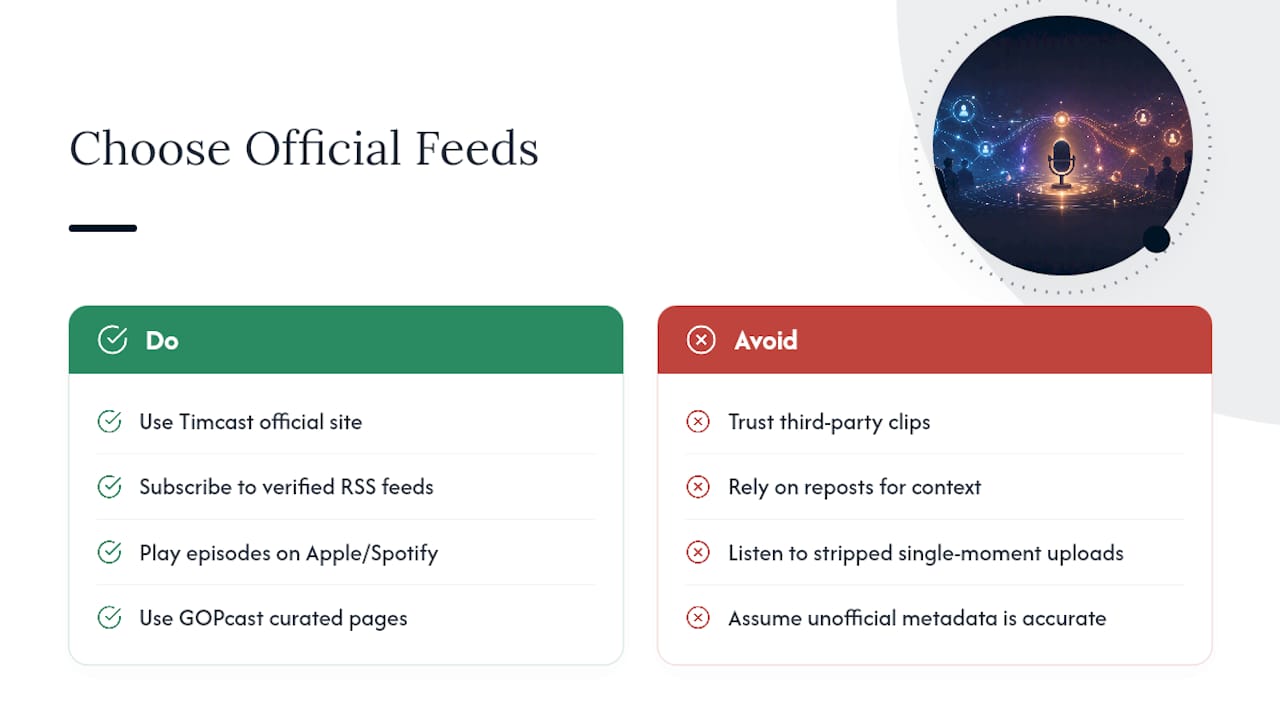
Relying on official channels and verified RSS feeds means you’re getting complete, unedited episodes with accurate metadata, rather than a clipped upload that cuts context or gets pulled entirely.
Third-party clips and reposts circulate constantly, and they’re often trimmed to a single moment out of a two-hour broadcast. Public incidents involving Tim Pool have shown up in edited form across social platforms, stripped of the surrounding conversation, which is exactly the kind of distortion BuzzFeed’s coverage of one such incident illustrates. Going to the source avoids that problem entirely.
Timcast’s official site lists current show pages, links to every platform, and archives past episodes in one place. Apple Podcasts and Spotify pull their metadata directly from these official feeds, which is why episode titles, explicit labels, and descriptions stay accurate instead of drifting out of sync with what actually aired.
GOPcast operates on that same principle. The platform hosts curated show pages for conservative programs including Bannon’s War Room and The Dan Bongino Show, pulling from verified sources rather than scattered uploads, so listeners land on the real episode instead of a stripped clip.
Looking for More Conservative Commentary Beyond Tim Pool?
GOPcast is built for the moment you finish a Tim Pool episode and want another right-leaning voice without hunting across multiple apps. Instead of searching platform by platform, you get a single hub organized by category: news, interviews, commentary, and investigative shows all in one place.
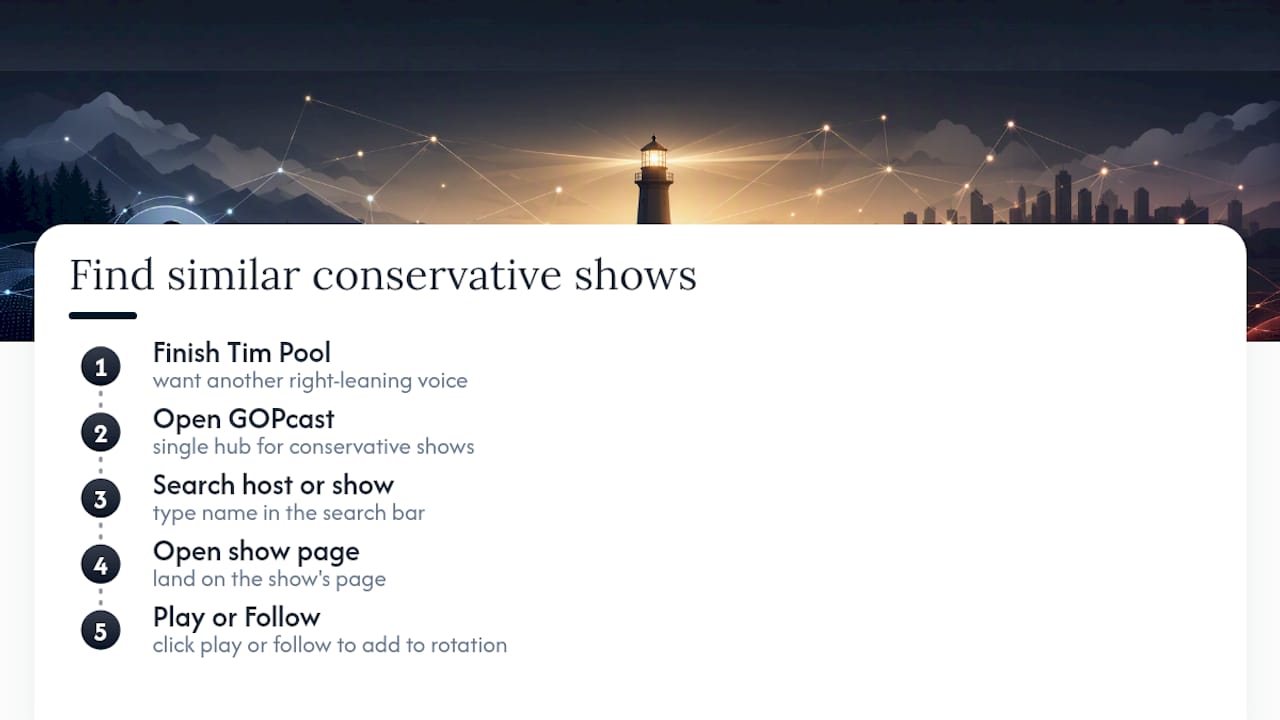
Searching GOPcast works the same way you’d search Apple Podcasts or Spotify. Type a host or show name into the search bar, land on the show page, and click play or follow to add it to your rotation. The platform’s curated conservative lineup covers hosts across news, culture, and interviews, so if Tim Pool’s commentary style appeals to you, there’s a direct path to similar voices without starting your search from zero every time.
Ready to add another show to your queue? Check out Ringside Politics on GOPcast and follow it the same way you’d follow any Timcast feed, no separate account required.
A Note From GOPcast on Following the Real Source
We built GOPcast because too many listeners were piecing together their news diet from screenshots and out-of-context clips instead of full episodes. Our advice mirrors what we’d tell anyone hunting for a specific show: go to the verified channel first, turn on notifications, and treat chat as optional entertainment, not the main event. Our listeners consistently tell us the shows that stick are the ones they catch live. Follow the official feed, not the reupload.
— GOPcast