Fire up Apple Podcasts or Spotify and search “No Spin News,” or head straight to the Billoreilly and hit play. Those two moves cover most listeners in under a minute. If you want the raw feed, paste the Megaphone RSS URL into any podcast app; if you’d rather watch, subscribe to the official YouTube channel; if you’re a radio person, check your local NewsNation affiliate or AM/FM lineup.
The show pulls in over 500,000 monthly listeners across Apple Podcasts and Spotify alone, which tells you the daily feed is the most-traveled path. But it’s not the only one, and depending on what you want (fast news hits vs. long interviews), one route beats the others.
Quick-start options:
- BillOReilly.com Audio Center — archives, transcripts, and premium extras
- Apple Podcasts / Spotify — search “Bill O’Reilly’s No Spin News and Analysis,” tap Follow
- Megaphone RSS feed — copy the canonical URL into any podcast app
- YouTube — subscribe for video clips and bonus segments
- NewsNation / local radio — check station schedules for syndicated airtimes
- GOPcast — browse a curated hub of conservative shows including O’Reilly-adjacent programming
Key Takeaways
Listening to Bill O’Reilly requires combining the official RSS feed or app subscription with the site archive for full coverage of daily updates, interviews, and extras.
| Point | Details |
|---|---|
| Start with the daily feed | Follow on Apple Podcasts or Spotify for the fastest way to catch daily “No Spin News” updates. |
| Use RSS for reliability | Copy feeds.megaphone.fm/RSV2429196838 into your podcast app to skip directory sync delays. |
| Check the official archive | Visit the BillOReilly.com Audio Center for transcripts and extras missing from the podcast feed. |
| Match format to goal | Follow “We’ll Do It Live!” separately for interviews; the daily feed alone won’t cover long-form content. |
| Explore a curated hub | GOPcast aggregates conservative shows in one place for listeners who want a broader lineup alongside O’Reilly. |
Table of Contents
- How to Subscribe and Stream Bill O’Reilly’s Podcast
- Where to Find Archived Episodes and Extras
- What Kind of Bill O’Reilly Content Should You Follow?
- Why Official Feeds and Directories Matter for Verification
- What Actually Matters When You’re Trying to Follow O’Reilly
- A Curated Home for Conservative Podcasts Beyond One Show
- Sources
How to Subscribe and Stream Bill O’Reilly’s Podcast
Each platform handles subscriptions a little differently, and the fastest way to waste time is guessing instead of following the exact steps.
- Apple Podcasts. Open the app (or the web version at podcasts.apple.com), search “Bill O’Reilly’s No Spin News and Analysis,” and tap the show. Hit Follow, then toggle on automatic downloads and notifications so new episodes land on your phone the moment they drop. The official Apple Podcasts listing shows episode lengths and short descriptions if you want to preview before committing.
- Spotify. Search the show name, click Follow, and if you’re a Premium subscriber, download episodes for offline listening during commutes or flights.
- RSS via Megaphone. The canonical feed lives at
https://feeds.megaphone.fm/RSV2429196838. Copy that URL into Overcast, Pocket Casts, or Podcast Addict under “Add URL” or “Add Feed,” and you’ll get episodes the moment they publish, without waiting on a directory to sync. This is the same Megaphone channel that Apple and Spotify pull from, so using it directly cuts out any lag. - YouTube. Search for the official channel and subscribe. This is where longer video extras and bonus clips tend to surface, content that doesn’t always make it into the audio feed.
- Radio and NewsNation. Check your local station’s schedule, or look up its FCC public file the way you would for any AM or FM affiliate carrying syndicated programming. Stations like KCMO and KTOP list program details in these filings, which is the most reliable way to confirm actual air times rather than trusting a third-party schedule site.
Pro Tip: Subscribe to the RSS feed AND follow the YouTube channel. The RSS gets you every daily episode the second it’s live, while YouTube catches video-only extras that never make it into the podcast feed.
Where to Find Archived Episodes and Extras
Different channels serve different purposes, and knowing which one holds what saves you from digging through the wrong app.

The Billoreilly is the deepest archive. It hosts past episodes, transcripts for reading instead of listening, and premium content not distributed elsewhere. If you want to search for something O’Reilly said months ago, this is where you’ll find it.
Podcast directories, meanwhile, are built for the daily grind, not the archive dive.
- Apple Podcasts and Spotify host the current feed and a rolling episode history, sourced from the same Megaphone backend
- NewsNation and local radio syndication carry special programs, including O’Reilly’s “Confronting Evil” segments and other book-tied interviews
- YouTube holds longer video extras and select full interviews that don’t appear in the audio-only feed
Here’s the catch most listeners miss: some bonus content only lives on the official site or YouTube. It never touches the daily podcast feed at all. If you’re relying solely on Apple or Spotify, you’re getting the main course but skipping dessert.
What Kind of Bill O’Reilly Content Should You Follow?
O’Reilly’s audio output isn’t one show, it’s several formats stacked under one name, and picking the right feed depends on what you’re actually after.
- O’Reilly Update — short daily hits, usually a few minutes, built for quick news and commentary on the day’s biggest story
- We’ll Do It Live! — long-form interviews and extended conversations, the format built for depth rather than speed, according to recent coverage
- O’Round the World — weekly recap episodes that consolidate highlights you might’ve missed in the daily grind
- NewsNation and radio specials — broadcast-format episodes, often tied to book releases or major news events, running longer than the standard update
If you just want the day’s news in five minutes, the daily feed alone covers you. If you’re the type who wants the full conversation, not the headline, add “We’ll Do It Live!” to your subscriptions and check NewsNation’s schedule for specials.
Why Official Feeds and Directories Matter for Verification
Podcast feeds get scraped, reuploaded, and sometimes misattributed on smaller platforms. Sticking to verified sources isn’t paranoia, it’s just efficient.
- The Billoreilly and the Megaphone RSS feed are the canonical sources everything else points back to
- Apple Podcasts and Spotify listings confirm the show is legitimately distributed and actively updated
- FCC public files, like the one for KCMO, verify that a local station actually carries the syndicated broadcast at the times it claims to
Using the canonical Megaphone feed means you get episodes exactly as published, with no delay from directory syncing and no risk of grabbing an outdated or unofficial reupload.
GOPcast fits into this picture as a different kind of trust signal: a publisher that aggregates conservative podcasts into one browsable hub. It doesn’t replace the official O’Reilly channels, but for listeners who want Fox Across America, The Dan Bongino Show, and similar programming alongside their O’Reilly habit, it cuts down on app-switching.
What Actually Matters When You’re Trying to Follow O’Reilly
Most guides to “listening” treat every platform like it’s interchangeable, follow on Apple, follow on Spotify, done. That’s incomplete advice. The real gap isn’t subscribing, it’s realizing the daily feed and the long-form interviews are functionally two different shows wearing one name, and most casual listeners only ever find one of them.
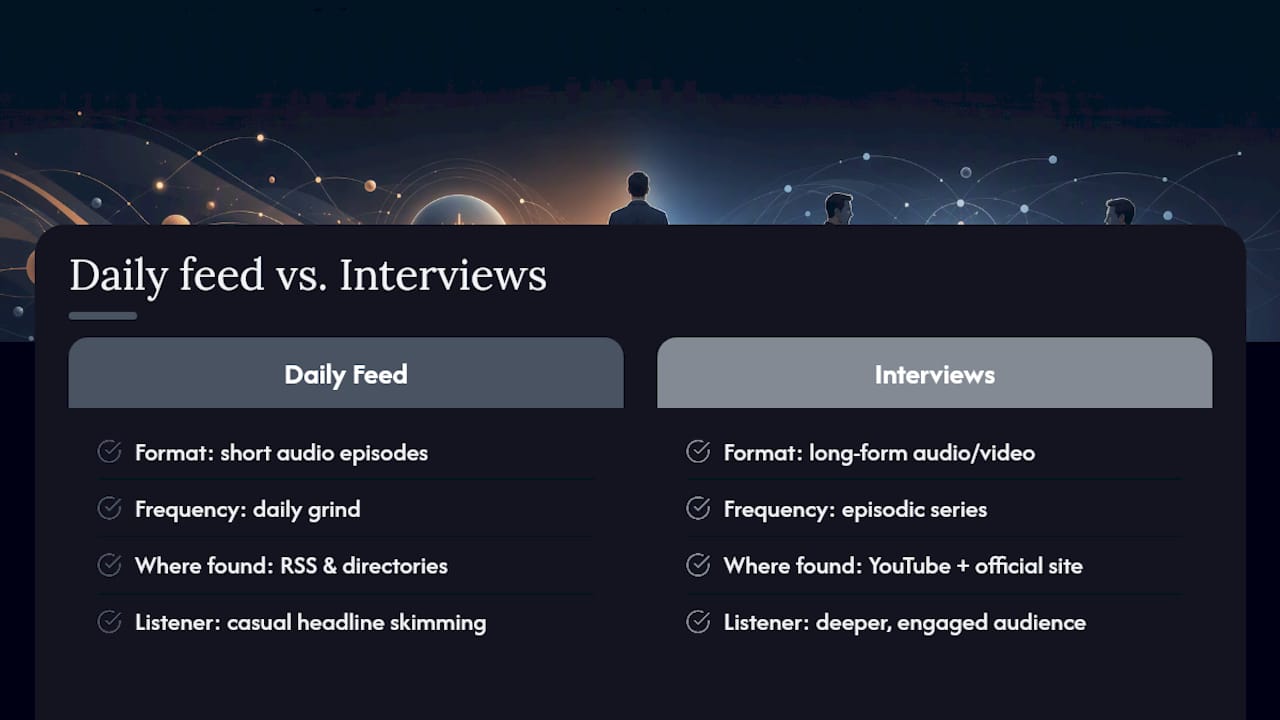
The conventional wisdom says pick a platform and stick with it. We’d push back on that. The RSS feed handles the daily grind reliably, but the video extras on YouTube and the archived transcripts on his own site sit in a different lane entirely, and directory search alone won’t surface them.
If you’re serious about the full picture, not just the headlines, prioritize a multi-follow approach over platform loyalty. Subscribe to the daily feed, follow the interview series separately, and check the official site’s archive when you want depth. That’s more setup than most people bother with. It’s also the difference between catching every angle and catching half of it.
— GOPcast
A Curated Home for Conservative Podcasts Beyond One Show
If part of why you listen to O’Reilly is the conservative perspective itself, not just the man, GOPcast gives you a way to build a full lineup around that without hunting across five different apps. It’s built specifically to gather right-leaning shows, commentary, and interviews in one place, so once you’ve got your O’Reilly subscriptions locked in, you’re not starting from scratch to find what else fits your feed.
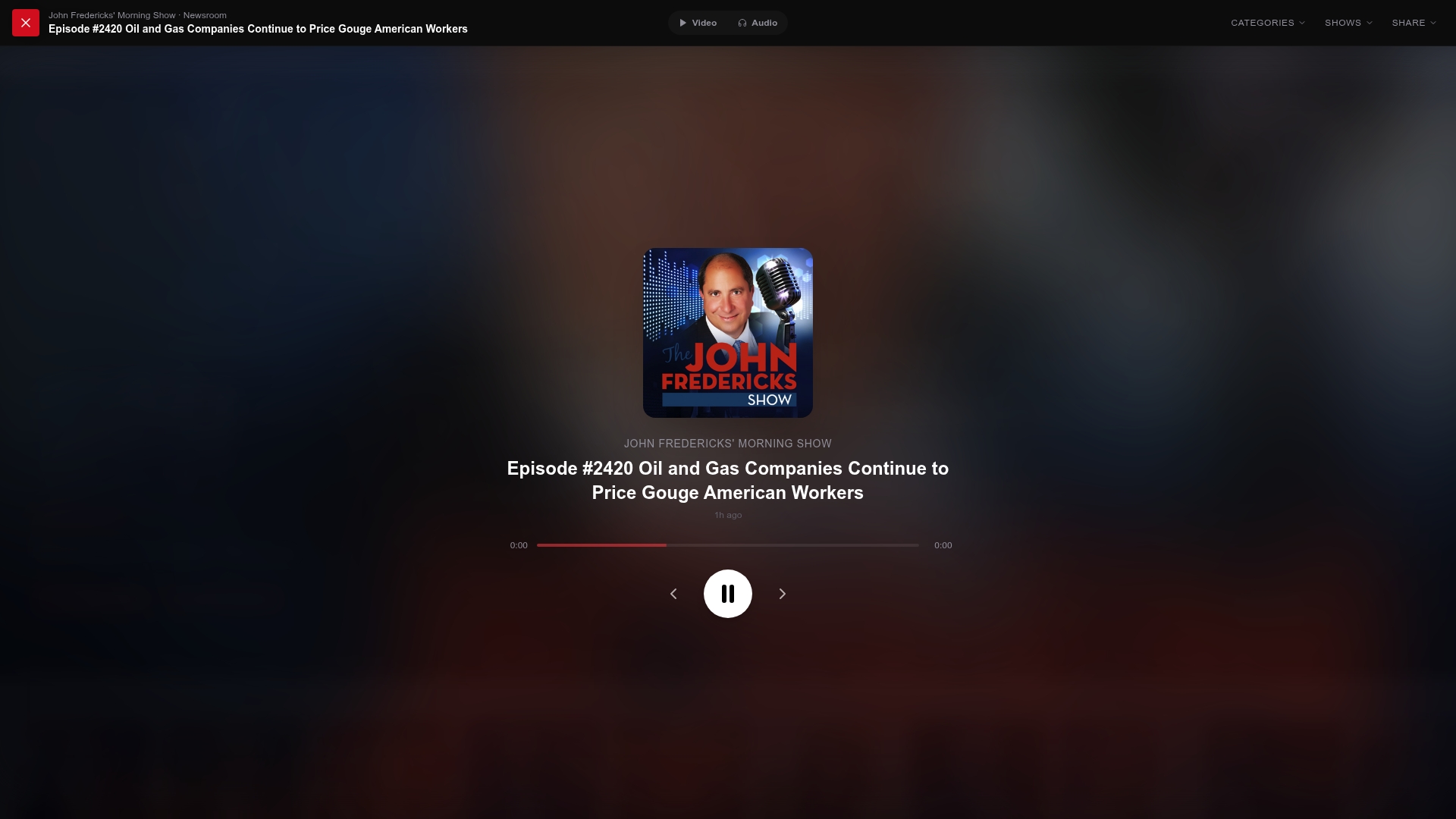
Browse programs like The Dan Bongino Show, Fox Across America, or America’s Voice Live alongside your regular news commentary rotation. Everything sits in categories built for browsing, not algorithm-guessing. Head to GOPcast and check the current lineup to see what pairs well with the shows you already follow.
Sources
- Bill O’Reilly: Audio Center
- Megaphone channel — Bill O’Reilly’s No Spin News and Analysis
- Bill O’Reilly’s No Spin News and Analysis (Muck Rack listing)
- Bill O’Reilly ‘We’ll Do It Live!’ coverage (NewscastStudio)