
The best car stereo for podcasts is one that plays your phone’s audio over a stable connection and gives you enough tuning control to bring voices forward. In practice, that means CarPlay or Android Auto, a real equalizer, and some way to handle road noise. If your car already has a Bluetooth or USB input, you can often get most of the benefit with a few settings changes and no new hardware.
This guide covers what to look for in a stereo, how to connect your phone, the settings that make speech easier to follow, and how to keep your eyes on the road while a long talk show plays. If you listen to conservative talk on your commute, you can find the shows in one place at GOPcast.com.
TL;DR
- Podcasts are speech, so favor clear midrange over bass. Voices live in the mids, and extra low end only adds rumble.
- Wired or wireless CarPlay and Android Auto give you the simplest phone connection, with Bluetooth as a solid fallback.
- Look for an equalizer, time alignment and some form of speed-based volume or noise compensation.
- Cutting road noise with sound-deadening material can help as much as a new head unit.
- Set up your queue before you drive and use voice commands or steering-wheel controls once you are moving.
Table of Contents
- Why podcasts ask different things from a car stereo
- Features that matter most in a car stereo for podcasts
- How to connect your phone
- Settings that make voices easier to hear
- Quiet the cabin first
- Perspective: why we think about listening from the driver’s seat
- Safe control while you drive
- Checklist before you buy
- Listen to conservative talk in the car with GOPcast
- FAQ
- Sources
Why podcasts ask different things from a car stereo
Music systems are usually tuned for bass punch and sparkle at the top end. Talk shows are the opposite. A host’s voice sits mostly in the midrange, so Jensen Mobile advises emphasizing the mids, trimming bass and treble slightly, and choosing speakers that deliver clear mids and highs rather than adding a subwoofer.
There is a second problem: the cabin itself. Cars are acoustically lopsided, so the soundstage tends to pull toward the driver’s side. For music that is a minor annoyance. For a two-person interview, it can make one voice sound closer than the other.
Then there is noise. One guide on high-fidelity in-car audio argues that for podcasts the real enemy is noise, not bitrate. A show that sounds perfect at home can disappear into tire roar at highway speed. Every feature below is really about solving one of these three issues: tonal balance, speaker imaging and noise.

Features that matter most in a car stereo for podcasts
Phone integration
For a podcast listener, the phone is the source. Touchscreen stereos with CarPlay and Android Auto pull in car-friendly versions of phone services, including navigation, calling and podcasts, which is why they are described as the best way to bring a smartphone into the car. If you are shopping, choose between wired and wireless connection, and look for USB-C power if you charge as you go. One buying guide recommends exactly that checklist for a phone-first setup, along with clear microphone placement.
Before you buy, confirm your phone and car are compatible. Apple notes that your country or region and your car must support CarPlay, and that you should run the latest iOS and the latest vehicle software.
An equalizer you can actually adjust
A stereo with only bass and treble knobs cannot do much for speech. Look for a multi-band EQ. Precision Car Audio points to digital time correction and parametric equalization as the controls to look for, and notes that even lower-priced aftermarket stereos give you more audio control than the typical factory radio.
Time alignment
Time alignment delays the speakers closest to you so sound from every speaker arrives at your ears together. Sorena Car Audio calls a DSP with time alignment crucial for fixing the driver-side pull. For podcasts, the payoff is a host who sounds like they are in front of you instead of in your left door.
Speed-based volume and noise compensation
Every highway drive has the same routine: turn it up, then turn it down when you slow. Speed compensated volume handles this automatically. One dealer explainer says it adjusts volume to vehicle speed to offset road noise and notes that voices stay clear even when the road gets louder. Some newer systems go further: 2025 trend coverage describes noise compensation that detects engine or wind noise and adjusts volume or equalization, plus active noise cancellation using built-in microphones and speakers.
Automakers also describe their own versions. Sennheiser, for example, describes a noise-masking algorithm that adapts playback to road noise so you do not have to keep changing the volume by hand.

A speech mode, if your car has one
Some factory systems include a dedicated mode. ŠKODA’s Speech equalisation boosts the spoken word, suppresses the musical component and also reduces subwoofer output. Check your car’s sound menu for something similar before spending money.
How to connect your phone
You have several routes, and the right one depends on what your stereo offers.
| Connection | What you need | Best for |
|---|---|---|
| CarPlay or Android Auto (wired) | Compatible stereo and a good cable | Stable audio, on-screen controls, voice commands |
| CarPlay or Android Auto (wireless) | Compatible stereo and phone | Short trips with no cable fuss |
| Bluetooth | Stereo in pairing mode | Older cars and simple setups |
| USB | Compatible cable | Charging while you play |
| AUX cable | Headphone jack or adapter | Cars with no Bluetooth |
| Cassette adapter | Adapter and a tape deck | Very old cars |
Samsung lists USB, AUX, Bluetooth and a cassette adapter as ways to connect a Galaxy phone, and reminds you to switch the stereo to the matching source afterward. A frequent cause of silence is simply the wrong input selected.
Apple describes Bluetooth pairing, a USB-C or Lightning cable and CarPlay as the ways to play podcasts from an iPhone in your car.
Does Bluetooth sound worse?
Technically, yes, but not by much for speech. A sound systems expert quoted by ŠKODA says a cable connection through CarPlay or Android Auto ranks above Bluetooth, which sounds the weakest of the options, and adds that the drop is not dramatic and is fine for everyday listening. For a talk show, a clean Bluetooth link is plenty. Spend your effort on EQ and noise instead.
Settings that make voices easier to hear
Here is a practical starting point. Adjust in small steps, with a show you know well playing at a normal driving speed.
- Start flat. Turn off any loudness, bass boost or surround effects.
- Pull back the low end. Sorena suggests keeping everything below 100 Hz flat or slightly lower. Elite Auto Gear goes further for talk, recommending a cut below 100 Hz, and sums it up with the line that intelligibility beats bass.
- Lift the mids. Sorena’s range is a boost of +2 to +4 dB between 500 Hz and 2 kHz. Another guide suggests a slight boost around 1 to 2 kHz for vocal clarity.
- Tame sharpness. If voices sound harsh, Sorena suggests cutting 2 kHz to 4 kHz by 1 to 3 dB and keeping the range above 8 kHz fairly flat. A gentle roll-off of harsh highs also reduces listening fatigue.
- Handle the subwoofer. You do not need to switch it off. Sorena says to drastically lower its gain or crossover, because the human voice has almost no information below 100 Hz.
- Move the fader slightly forward. This anchors the voice in front of you. If your head unit has time alignment, use it.
If you want the same idea in numbers: low end down, 500 Hz to 3 kHz up, a little restraint above that. Presets named “vocal,” “speech” or “podcast” usually do a version of this already.
Let the app help
Some podcast apps process speech before it reaches your car. Apple’s iOS 26 Enhance Dialogue feature uses real-time audio processing and machine learning to reduce background noise and make speech clearer, and it can be saved per show. Another app’s Voice Boost, according to Car Tech Studio, applies compression and EQ so voices are more consistent, which helps when road noise keeps changing. Check which of these options your own player offers.
Quiet the cabin first
A better stereo cannot fully overcome a noisy car. Jensen recommends turning on noise-cancellation features if your system has them, and if not, using sound-deadening materials to cut road noise and vibration. Another guide recommends butyl rubber sheets on doors, floors and the trunk to lower the noise floor, so voices stay crisp at lower volume.
That last point matters for long drives. A lower noise floor means you can listen at a comfortable level for hours without fatigue.
Perspective: why we think about listening from the driver’s seat
We built GOPcast around a simple idea: people who want conservative talk should not have to hunt for it. Shows like Bannon’s War Room and The Dan Bongino Show are long-form, voice-driven programs, and many of our listeners hear them on a commute or a long drive.
That shapes how we think about the equipment. Talk shows reward clarity, not bass. A car stereo that keeps a host’s voice forward, handles road noise and connects to your phone without fuss will do more for your listening than any amount of low-end power.
Our approach is a single hub where you browse by category, from news and commentary to interviews, and press play. Pair that with a stereo tuned for speech and your drive becomes a place for real discussion instead of a fight with the volume knob.
GOPcast
Safe control while you drive
Set up your listening before you pull out: pick the show, pair the phone and check the source. Once you are moving, rely on voice and steering-wheel controls. Apple explains that with CarPlay you can use the Now Playing screen or ask Siri to stop, start or change audio using the steering-wheel voice button, the CarPlay Home button or “Hey Siri.”
A few habits help:
- Queue several episodes so you do not touch the screen for the whole trip.
- Keep your phone mounted and charging through the same cable that carries audio.
- If you also take calls through the stereo, microphone placement matters. One guide suggests mounting it away from vents and glass and securing the lead.
- Save video and live-chat shows for when you are parked.
Checklist before you buy
Use this list at the shop or on a product page.
- Phone support: CarPlay, Android Auto or both, wired or wireless, and USB-C charging.
- Sound tools: multi-band EQ, time alignment, crossovers and adjustable subwoofer level. For a sound-first build, one guide adds 4V or higher preamp outputs.
- Noise handling: speed-based volume or a noise-compensation feature.
- Fitment: a stereo that suits your dash, plus any adapter needed to keep steering-wheel controls and the backup camera working.
- Speakers: clear mids and highs matter more than raw bass for speech.
If your car is recent, you may find the factory screen already supports phone projection and has an EQ. In that case, tune it before you shop.
Listen to conservative talk in the car with GOPcast
Once your stereo is ready, you need something worth playing. GOPcast brings prominent conservative shows together in one place, with live and recorded programs and categories for news, commentary, interviews, activism, health, comedy and investigative content. You stream through the web, so there is no hunting through separate sites.
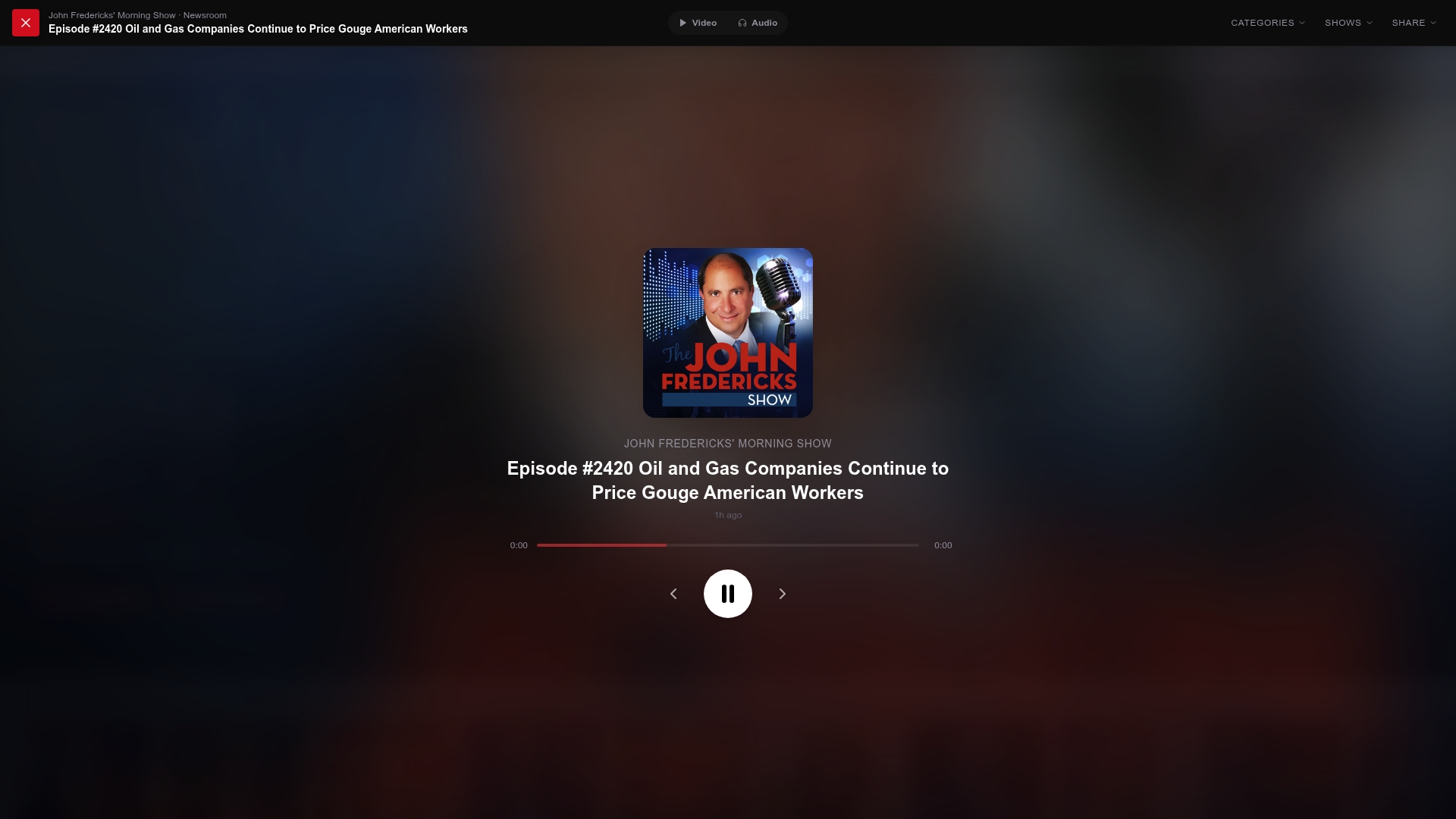
A good place to start is The Mel K Show, free to listen on GOPcast. If you want a broader overview first, our list of top conservative political podcasts walks through what each show covers. For a longer look at the appeal of the format, read why conservative podcasts are so popular. When you are parked, you can watch with GOPcast too.
FAQ
What is the best car stereo for podcasts?
The best one is a touchscreen unit with CarPlay or Android Auto, a multi-band equalizer and time alignment. Those features let you move the sound toward the midrange where speech lives. Add speed-based volume or noise compensation if you drive on highways often.
Do I need a subwoofer for podcasts?
No. Voices contain almost no information below 100 Hz, so a subwoofer adds little for talk. If you already have one, lower its gain or crossover rather than removing it, and keep the settings for music if you switch back.
Is Bluetooth good enough for podcasts?
Yes, for most people. A cable connection through CarPlay or Android Auto sounds slightly better, but the difference is not dramatic for everyday listening. A stable Bluetooth link plus a good EQ setup beats a perfect connection with poor tuning.
How do I make voices clearer over road noise?
Start with the EQ: lift the 500 Hz to 3 kHz range a little and cut the low end. Then turn on speed-based volume or noise compensation if available, and consider sound-deadening in the doors and floor. Some podcast apps also have a speech-enhancement setting you can switch on.
Can I use my existing stereo with a phone?
Probably. Most cars offer Bluetooth, USB or an AUX input, and you only need to select the right source on the stereo. If none of those exist, a cassette adapter or an aftermarket stereo are the next options.
Sources
- Jensen Mobile: How to Optimize Your Car’s Sound System for Podcasts and Audiobooks
- Sorena Car Audio: From Podcasts to Premium Sound
- NW Motors Scooters: High-Fidelity In-Car Audio
- Precision Car Audio: Car stereo buying guide
- J.C. Lewis Ford Pooler: What Is Speed Compensated Volume?
- Sol Control Custom: Top 2025 Car Audio Trends
- Sennheiser Mobility
- ŠKODA Storyboard: Tips for getting the best sound
- Samsung: Connect your Galaxy phone or tablet to a car
- Apple Support: Play music and podcasts in your car
- Apple Support: Connect your iPhone to your car
- Apple Podcasts for Creators: iOS 26 what’s new
- Car Tech Studio: Overcast on Apple CarPlay
- Elite Auto Gear: Car Audio EQ Settings by Genre
- Improve Car Audio: Best Car Stereo Features